Choosing business software should not feel like picking a spaceship. Yet somehow, it often does. There are buttons. Pipelines. Automations. Proposals. Contracts. Portals. And then there is the big question: Bloom or HoneyBook? In 2026, both tools help small service businesses look polished, save time, and get paid faster. But they do not feel the same. Not at all.
TLDR: HoneyBook is the stronger all around choice for many creative service businesses that want a polished client flow, strong automation, and a very friendly experience. Bloom is often better for solo creators who want a simpler setup, strong project tools, and a cleaner daily workspace. HoneyBook usually feels more “sales and booking” focused, while Bloom feels more “project and client management” focused. If you love structure, choose HoneyBook. If you love calm, choose Bloom.
Quick vibe check
Let’s make this easy.
HoneyBook feels like a cheerful studio manager. It helps you capture leads, send proposals, sign contracts, collect payments, and follow up. It is built for people who sell services. Think photographers, planners, coaches, designers, consultants, and freelancers.
Bloom feels like a clean work desk. It gives you tools to manage clients, projects, invoices, tasks, forms, and workflows. It is popular with independent creators and small teams who want less noise and more focus.
Both tools want the same thing. They want your business admin to stop eating your day.

Who are they best for?
HoneyBook is best for:
- Creative service providers.
- Wedding pros and event pros.
- Photographers and videographers.
- Coaches and consultants.
- Freelancers who want a smooth sales process.
- Businesses that send proposals often.
Bloom is best for:
- Solo business owners.
- Creators who want a simple CRM.
- Freelancers who need project organization.
- Small teams that want clean workflows.
- People who dislike clutter.
- Businesses that care about delivery as much as booking.
Here is the tiny cartoon version. HoneyBook helps you win the job. Bloom helps you run the job. Of course, both can do both. But their personalities are different.
Feature comparison in 2026
Both platforms cover the main business basics. You can manage contacts. You can collect leads. You can send invoices. You can make clients sign contracts. You can automate repeat steps.
But the details matter.
| Feature | Bloom | HoneyBook |
|---|---|---|
| CRM | Simple and clean client management. | Strong lead and client tracking. |
| Proposals | Good for service packages and forms. | Very strong and polished. |
| Contracts | Built in contract tools. | Built in contracts with smooth signing. |
| Invoices | Good invoicing and payment tools. | Excellent invoice and payment flow. |
| Automation | Useful and practical. | More advanced and sales friendly. |
| Client experience | Calm and simple. | Polished and guided. |
| Ease of use | Very easy for many users. | Easy, but more features to learn. |
Lead capture and booking
This is where HoneyBook shines.
HoneyBook is very good at turning a curious lead into a paying client. You can create contact forms. You can send brochures. You can build smart proposals. You can include services, pricing, contracts, and invoices in one flow.
That is a big deal.
Why? Because clients do not want homework. They do not want five emails and three attachments. They want one simple path. HoneyBook gives them that path.
Bloom also has lead capture tools. You can use forms, questionnaires, and workflows. It can support a professional booking process. But HoneyBook feels more mature here. It has that “click here, sign here, pay here, yay” energy.
Projects, tasks, and daily work
Bloom gets very interesting when the project begins.
Its workspace feels simple. You can manage clients, jobs, tasks, and files. You can keep work moving without feeling trapped inside a giant machine. If your brain likes tidy lists, Bloom may feel like a warm cup of tea.
HoneyBook also manages projects well. Each client project can hold messages, files, contracts, invoices, payments, and activity. It is very useful. But because HoneyBook focuses heavily on the full client journey, it can feel busier.
So ask yourself this:
- Do you need a strong sales pipeline? Pick HoneyBook.
- Do you need a calm project hub? Look hard at Bloom.
- Do you need both? Test both with your real workflow.

Contracts and invoices
Both tools let you send contracts and invoices. Both help you look professional. Both can reduce the awkward “just checking if you saw my invoice” message.
HoneyBook has a very smooth money flow. You can send an invoice, collect a payment, set payment schedules, and automate reminders. The client experience is friendly. It feels polished.
Bloom also supports invoices, payments, and contracts. It is simple and effective. For many freelancers, that is enough. You do not always need fancy. Sometimes you need “send the thing and get paid.” Bloom does that.
Payment processing fees can vary by plan, country, and payment method. So check the current pricing page before you commit. Yes, that is boring advice. But boring advice often saves money.
Automation
Automation is like a tiny robot assistant. A good one sends reminders. A bad one sends “Hi first name” to a client named Sarah. Not cute.
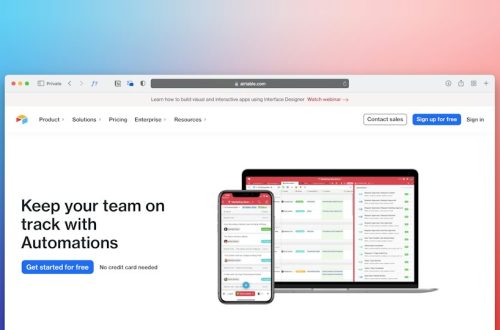
HoneyBook has powerful automations. You can create workflows for inquiries, follow ups, proposals, contracts, invoices, and reminders. If a lead fills out a form, HoneyBook can start the next steps. This is great for businesses with lots of inquiries.
Bloom also offers automation. It helps with repeat steps and client flows. It may feel easier for users who want simple automation without building a giant maze.
If automation is a big reason you are buying software, HoneyBook usually has the edge. It gives you more room to build a full booking machine.
Client experience
This part matters a lot.
Your client does not care which CRM you use. They care how it feels. Is it easy? Is it clear? Can they sign without asking for help? Can they pay without creating a support ticket in their own soul?
HoneyBook creates a very guided client experience. Clients can review proposals, sign contracts, and pay in a clean flow. It feels premium. This is one reason it is so loved by wedding pros and photographers.
Bloom gives clients a clean, simple experience too. It is less flashy in some areas, but often very easy to understand. For low drama businesses, that can be perfect.
The winner depends on your brand style. HoneyBook feels more like a polished boutique. Bloom feels more like a peaceful studio.
Pricing in 2026
Pricing can change. Promotions also change. Annual plans are usually cheaper than monthly plans. So treat these numbers as a practical guide, not stone tablets from a mountain.
In 2026, HoneyBook is usually positioned as a paid platform with multiple tiers. Common plan levels include a starter style plan, a mid level plan, and a premium plan. Monthly pricing often starts around the lower monthly range and rises for advanced features, more team options, and deeper automation.
Bloom is often seen as a more budget friendly option for individual creators and freelancers. Depending on the plan and billing cycle, it may offer lower entry pricing than HoneyBook. Some Bloom plans may include generous features for solo users.
Here is the simple pricing mindset:
- Choose HoneyBook if better booking and automation can help you close more clients.
- Choose Bloom if you want strong basics at a simpler price point.
- Choose annual billing only after you test the tool.
- Watch transaction fees because they affect your real cost.
Do not only ask, “Which one is cheaper?” Ask, “Which one helps me get paid faster?” That is the grown up money question. Annoying, but true.
Ease of setup
Bloom is often faster to understand. The interface is clean. The features feel direct. If you want to get in, set up clients, and start working, Bloom is friendly.
HoneyBook may take a little more setup. But that is because it can do more inside the booking journey. You will want to build templates, workflows, smart files, emails, and payment schedules.
That setup time can pay off. Once HoneyBook is built out, it can save hours every week.
Still, if you hate setup, Bloom may make you happier on day one.
Templates and branding
HoneyBook has strong templates. Proposals, brochures, invoices, and contracts can look very polished. You can create a client flow that feels branded and professional.
Bloom also offers customization and templates. It lets you present your business clearly. It may not feel as sales focused as HoneyBook, but it can still look clean and modern.
If your business depends on a beautiful first impression, HoneyBook may win. If your business depends on clarity and speed, Bloom may be enough.
Support and learning curve
Both platforms offer help resources. These may include help centers, videos, email support, chat options, and community content.
HoneyBook has a large user base. That means many tutorials exist. It is easier to find tips from other users. This helps if you like learning from examples.
Bloom may feel less overwhelming because there is less to master. That is its own kind of support. Sometimes the best help article is the one you do not need.
Pros and cons of Bloom
Bloom pros:
- Clean and simple interface.
- Good for solo creators.
- Strong project organization.
- Often budget friendly.
- Less overwhelming than larger platforms.
Bloom cons:
- May not feel as polished for complex sales flows.
- May have fewer advanced automation options.
- May not have the same large user community.
Pros and cons of HoneyBook
HoneyBook pros:
- Excellent client booking experience.
- Strong proposals and smart files.
- Great automation tools.
- Polished invoices and contracts.
- Popular with creative service businesses.
HoneyBook cons:
- Can cost more than simpler tools.
- Setup can take time.
- May feel too feature rich for very simple businesses.
Final verdict
If you want the smoothest path from inquiry to paid client, choose HoneyBook. It is built to help you sell services in a polished way. It makes proposals, contracts, invoices, and payments feel like one clean story.
If you want a quieter tool for managing clients and projects, choose Bloom. It is simple, useful, and friendly for solo business owners who do not want software drama.
The best choice is not the one with the longest feature list. It is the one you will actually use. Every day. Without making a face.
So test both. Send a fake proposal. Create a fake client. Build a small workflow. Then ask yourself one question: which one made running my business feel lighter?
That is your winner.