
Category: AI

  • Top AI Agent Use Cases Across Coding, Security, Finance, HR, and Marketing (2026)

    Top AI Agent Use Cases Across Coding, Security, Finance, HR, and Marketing (2026)

    By 2026, AI agents have moved from experimental chat interfaces to practical digital teammates that can plan, act, check their own work, and collaborate with business systems. Unlike simple automation, an AI agent can interpret goals, choose tools, retrieve context, execute multi-step tasks, and escalate when human judgment is required. The result is a new operating model where people define strategy, standards, and exceptions while agents handle repetitive, analytical, and coordination-heavy work.

    TLDR: AI agents in 2026 are becoming valuable across coding, security, finance, HR, and marketing because they can complete complex workflows rather than simply answer questions. Their strongest use cases include software development support, threat detection, financial analysis, recruiting, employee support, campaign optimization, and content operations. The most successful organizations use agents with clear guardrails, human review, audit trails, and strong data governance.

    Why AI Agents Matter in 2026

    The big shift in 2026 is not that AI can generate text, code, or summaries. It is that AI agents can take action. They can connect to repositories, ticketing systems, spreadsheets, security platforms, customer databases, HR systems, and marketing tools. They can also remember task context, compare options, and trigger workflows.

    This makes them especially useful in departments where people spend a large part of their day switching between tools, gathering information, checking rules, and producing routine outputs. AI agents do not replace expertise; they multiply it. A software engineer can review more pull requests, a finance analyst can test more scenarios, a recruiter can screen more candidates fairly, and a marketer can personalize campaigns at scale.

    1. Coding: Agents as Development Copilots and Engineering Teammates

    Software development is one of the most mature areas for AI agent adoption. In 2026, coding agents are no longer limited to autocomplete. They can understand a ticket, inspect the codebase, suggest an implementation plan, write code, generate tests, open a pull request, and respond to reviewer feedback.

    Top coding use cases include:

    • Feature development: An agent can translate product requirements into technical tasks, identify relevant files, draft code changes, and produce documentation for the implementation.
    • Bug fixing: Agents can reproduce errors, inspect logs, compare recent commits, suggest root causes, and create patches with regression tests.
    • Code review: They can detect style issues, risky patterns, missing tests, dependency problems, and security concerns before a human reviewer steps in.
    • Test generation: Agents can create unit, integration, and end-to-end tests based on code behavior and acceptance criteria.
    • Legacy modernization: They can help refactor old code, translate between languages, improve documentation, and identify dead or duplicated logic.

    The most valuable coding agents are integrated into existing developer workflows. They work inside IDEs, version control platforms, CI/CD pipelines, and issue trackers. This matters because developers do not want another disconnected tool; they want an assistant that understands their environment.

    However, engineering teams still need strong controls. AI-generated code should be reviewed, tested, scanned, and monitored like any other code. The agent may be fast, but accountability remains human.

    2. Security: Agents for Threat Detection, Response, and Compliance

    Cybersecurity teams face an overwhelming volume of alerts, logs, vulnerabilities, and policy requirements. AI agents are especially useful because many security workflows are repetitive but time-sensitive. In 2026, security agents help teams move from reactive monitoring to proactive defense.

    Key security use cases include:

    • Alert triage: Agents can group related alerts, enrich them with threat intelligence, rank severity, and reduce false positives.
    • Incident response: When suspicious activity appears, an agent can gather logs, identify affected systems, recommend containment actions, and prepare an incident timeline.
    • Vulnerability management: Agents can prioritize vulnerabilities based on exploitability, asset importance, exposure, and business impact.
    • Phishing investigation: Agents can analyze email headers, links, attachments, sender reputation, and similar reported messages.
    • Compliance monitoring: Agents can check whether controls are in place, gather evidence, and flag policy gaps before an audit.

    One interesting development is the rise of autonomous security playbooks. For example, if an endpoint shows signs of compromise, an agent may automatically collect forensic data, isolate the device, notify the security team, and create a ticket. The human analyst then reviews the evidence and approves next steps.

    The danger is over-automation. Security agents must be configured carefully so they do not shut down critical systems unnecessarily or misinterpret benign activity as hostile. The ideal model is agent-assisted security operations, where AI handles speed and scale while humans handle judgment and accountability.

    Image not found in postmeta

    3. Finance: Agents for Analysis, Forecasting, and Risk Control

    Finance teams rely on accuracy, timing, and trust. In 2026, AI agents are helping finance departments automate manual reporting, monitor financial health, and support better decision-making. Their value comes from combining data retrieval, analysis, explanation, and workflow execution.

    Top finance use cases include:

    • Financial reporting: Agents can collect data from ERP systems, reconcile figures, generate variance explanations, and prepare draft management reports.
    • Forecasting and scenario planning: Agents can model revenue, costs, cash flow, and margin changes under different market or operational assumptions.
    • Invoice and expense review: They can flag duplicate invoices, unusual expense claims, missing approvals, or policy violations.
    • Risk monitoring: Agents can track credit exposure, liquidity indicators, currency fluctuations, and supplier risks.
    • Investor and board preparation: They can create briefing packs, summarize performance drivers, and answer follow-up questions using approved data sources.

    For finance leaders, the most exciting use case may be continuous close. Instead of waiting until month-end to find errors or inconsistencies, agents monitor transactions throughout the month. They can surface anomalies early, suggest corrections, and keep finance teams better prepared.

    Still, finance is a high-trust environment. Agents must be transparent about data sources, calculations, assumptions, and confidence levels. A useful finance agent should not simply say, “Revenue is down.” It should explain where, why, compared to what, and what assumptions were used.

    4. HR: Agents for Recruiting, Employee Support, and Workforce Planning

    Human resources teams manage sensitive, people-centered processes, which makes AI adoption both powerful and delicate. In 2026, HR agents are widely used to reduce administrative load, improve employee experience, and help leaders understand workforce trends.

    Common HR use cases include:

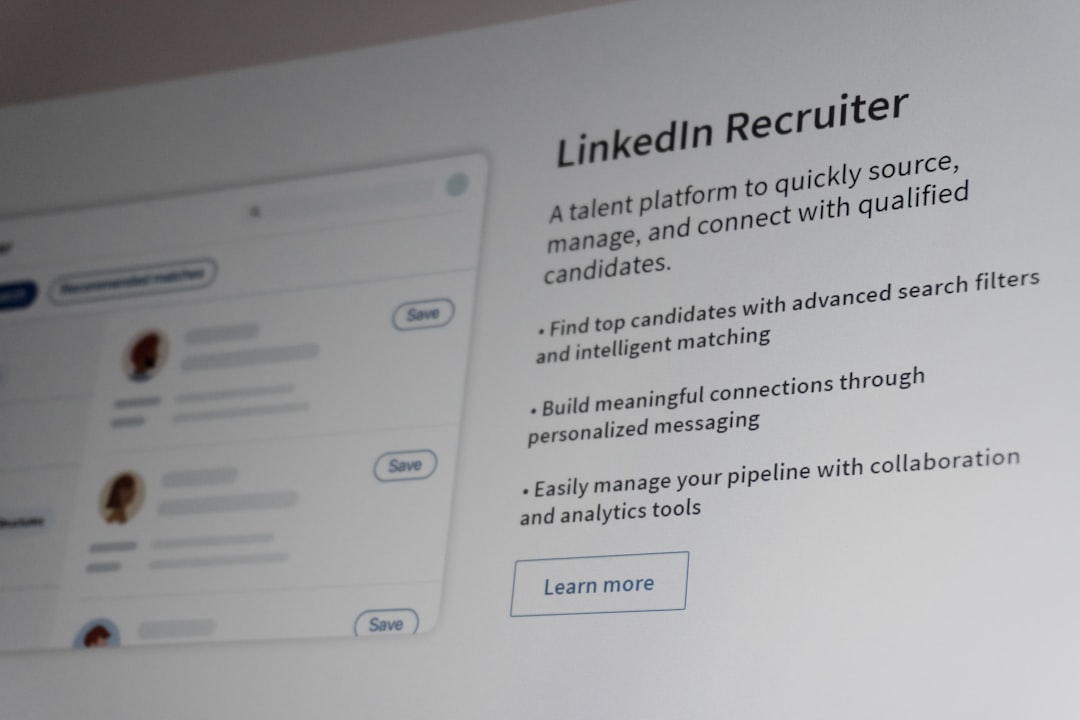
    • Recruiting support: Agents can draft job descriptions, screen applications against role criteria, schedule interviews, summarize candidate feedback, and prepare offer documents.
    • Employee service desks: Agents can answer questions about benefits, leave policies, payroll dates, onboarding steps, and internal procedures.
    • Onboarding: They can guide new hires through forms, training, equipment requests, introductions, and first-week checklists.
    • Performance process support: Agents can remind managers of review deadlines, summarize goals, and help draft structured feedback.
    • Workforce analytics: Agents can identify attrition risks, skills gaps, hiring bottlenecks, and internal mobility opportunities.

    The best HR agents are designed to be helpful without becoming intrusive. For example, an agent may identify that a department has rising turnover risk, but it should present aggregated patterns rather than exposing sensitive individual predictions without appropriate governance.

    Bias is another major concern. HR agents must be regularly audited to ensure they do not discriminate based on gender, age, ethnicity, disability, or other protected characteristics. Human oversight is essential, especially in hiring, promotion, compensation, and termination decisions.
    5. Marketing: Agents for Personalization, Campaigns, and Content Operations

    Marketing teams were early adopters of generative AI, but in 2026 the focus has shifted from producing isolated content to managing entire campaign workflows. AI agents can analyze customer segments, generate campaign ideas, create assets, launch tests, monitor results, and recommend improvements.

    Top marketing use cases include:

    • Audience research: Agents can analyze customer behavior, reviews, support tickets, social conversations, and market trends to identify needs and opportunities.
    • Campaign planning: They can propose campaign themes, channels, budgets, timelines, and performance targets.
    • Content production: Agents can draft emails, landing pages, ad copy, social posts, scripts, and briefs while following brand guidelines.
    • Personalization: They can tailor messages by segment, lifecycle stage, purchase history, region, or customer intent.
    • Performance optimization: Agents can monitor metrics, detect underperforming assets, recommend A/B tests, and reallocate budget suggestions.

    One of the biggest advantages is speed. A marketing team can move from insight to campaign launch in days rather than weeks. Agents help handle the “middle work” that slows teams down: resizing ideas for different channels, rewriting for different segments, checking tone, tagging assets, and summarizing performance.

    But more content is not always better content. Brands need strong creative direction, approval workflows, and quality standards. The winning approach is to use AI agents for scale and experimentation while preserving a clear human point of view.

    Cross-Functional Use Cases: Where Agents Become Even More Powerful

    Some of the most valuable AI agent use cases happen between departments. For example, a product launch may involve engineering, security, finance, HR, sales, and marketing. An agent can coordinate timelines, track dependencies, summarize meeting decisions, identify risks, and keep stakeholders updated.

    Cross-functional agents can help with:

    • Project management: Tracking milestones, blockers, owners, deadlines, and status updates.
    • Knowledge management: Finding policies, documents, decisions, and expert contacts across the organization.
    • Customer intelligence: Connecting sales feedback, support issues, product usage, and marketing engagement.
    • Executive reporting: Producing concise summaries from multiple departments with links to source data.

    This is where AI agents begin to feel less like tools and more like an operating layer for the business. They reduce the friction of coordination, which is often one of the biggest hidden costs in modern organizations.

    What Makes an AI Agent Successful?

    The organizations getting the most value from AI agents in 2026 are not simply buying the newest tools. They are redesigning workflows around clear responsibilities, measurable outcomes, and safety controls.

    Strong AI agent programs usually include:

    • Defined use cases: Start with specific problems, such as reducing alert triage time or speeding up invoice review.
    • Human oversight: Require approval for high-risk actions, especially in security, finance, HR, and public communications.
    • Tool permissions: Limit what agents can access and do based on role, task, and risk level.
    • Audit trails: Record agent actions, data sources, decisions, and approvals.
    • Performance metrics: Track time saved, error reduction, cost impact, employee satisfaction, and risk reduction.
    • Continuous evaluation: Test agents regularly for accuracy, bias, security, and reliability.

    The Bottom Line

    AI agents in 2026 are most valuable when they are treated as capable assistants, not magic replacements. They can write code, investigate threats, analyze financial data, support employees, and optimize campaigns, but they still need direction, constraints, and review. The real opportunity is not just doing the same work faster; it is redesigning work so that humans spend more time on strategy, creativity, relationships, and judgment.

    Across coding, security, finance, HR, and marketing, the pattern is clear: AI agents handle complexity at scale, while people provide context, ethics, taste, and accountability. Companies that learn to combine both will have a major advantage in 2026 and beyond.


  • Top AI Translation Apps Compatible with LINE Messenger

    Top AI Translation Apps Compatible with LINE Messenger

    LINE Messenger is widely used for personal conversations, customer support, cross-border sales, travel coordination, and international communities. As more people rely on LINE to communicate across languages, AI translation apps have become essential tools for reducing misunderstandings and keeping conversations professional. The best options combine strong translation quality, fast copy-and-paste workflows, mobile compatibility, and clear privacy practices.

    TLDR: The most practical AI translation tools for LINE Messenger are Google Translate, DeepL, Microsoft Translator, Papago, and iTranslate. For most users, Google Translate is the best all-purpose choice, while DeepL is strongest for polished writing in supported languages. Papago is especially useful for Korean, Japanese, and Chinese communication, and Microsoft Translator is a reliable option for business and group use. Since LINE does not universally include high-quality built-in translation in every market, using a dedicated translation app alongside LINE is often the safest approach.

    What “Compatible with LINE Messenger” Really Means

    Before choosing a translation app, it is important to define compatibility realistically. Many translation apps do not operate as native plug-ins inside LINE. Instead, they work with LINE through copy and paste, mobile sharing menus, screenshot translation, keyboard translation, floating translation bubbles, or voice input. These methods are still highly effective, especially on modern iOS and Android devices.

    A compatible translation app should allow you to translate incoming LINE messages quickly and respond without switching through too many screens. For business users, it should also support accurate tone, formal language, and consistent terminology. For travelers and casual users, speed and broad language coverage may matter more than perfect style.

    Image not found in postmeta

    1. Google Translate

    Google Translate remains one of the most practical translation apps to use with LINE Messenger. It supports a very large number of languages and offers text, voice, handwriting, image, and camera translation. On Android, the Tap to Translate feature can be especially helpful because it allows users to copy text from LINE and translate it immediately through a floating shortcut.

    For everyday LINE conversations, Google Translate is usually fast enough and accurate enough to handle travel messages, customer inquiries, social chats, and simple business communication. Its camera translation feature is also useful if someone sends an image containing foreign-language text. You can take a screenshot, open it in Google Translate, and extract the meaning quickly.

    However, Google Translate is not always the best option for nuanced or formal writing. It can occasionally produce literal phrasing or miss subtle cultural context. For sensitive negotiations, legal content, or public-facing brand messages, it is wise to review the output carefully before sending it through LINE.

    • Best for: general use, travel, broad language coverage, fast mobile workflows
    • Strengths: many languages, camera translation, voice translation, strong Android integration
    • Consider carefully: tone, idioms, and formal business phrasing

    2. DeepL Translator

    DeepL is widely respected for producing natural, polished translations, especially among European languages and several major Asian languages. When used with LINE, DeepL is best suited to users who care about clarity, tone, and professional wording. You can copy a LINE message into DeepL, translate it, adjust the wording, and paste the response back into the conversation.

    One of DeepL’s strongest advantages is that its translations often sound less mechanical than those from many general-purpose tools. This matters when communicating with clients, partners, colleagues, or friends where tone can affect trust. DeepL can be particularly useful for turning a rough message into something that sounds more fluent and respectful.

    DeepL does not support as many languages as Google Translate, so it may not be the best choice for every LINE chat. Still, where the language pair is supported, it is often one of the most reliable choices for written communication. Users handling confidential or business material should also review DeepL’s current privacy policy and consider whether a paid plan is appropriate for stricter data handling.

    • Best for: professional messages, polished replies, formal or careful writing
    • Strengths: natural phrasing, strong writing quality, useful alternatives for wording
    • Consider carefully: fewer supported languages than some competitors

    3. Microsoft Translator

    Microsoft Translator is another strong option for people who use LINE in professional or multilingual settings. It supports text, voice, and conversation translation, and it integrates well with the broader Microsoft ecosystem. While it is not a built-in LINE translator, it works smoothly through copy and paste, speech input, and mobile sharing workflows.

    Microsoft Translator is particularly valuable for group communication and structured multilingual conversations. If a LINE group is used to coordinate international work, events, or support, Microsoft Translator can help participants understand key points without relying on a single bilingual member. Its translations are generally dependable for common business and daily-use language.

    Another benefit is Microsoft’s credibility among enterprise users. Organizations that already use Microsoft services may prefer Microsoft Translator because it aligns with familiar compliance expectations and account management practices. As with any AI translation tool, users should avoid sending highly sensitive information unless they understand the service’s data handling terms.

    • Best for: business users, multilingual groups, Microsoft ecosystem users
    • Strengths: reliable translation, voice features, enterprise familiarity
    • Consider carefully: interface may feel less simple than lightweight consumer apps
    Image not found in postmeta

    4. Naver Papago

    Naver Papago is one of the best translation apps to consider if your LINE conversations involve Korean, Japanese, Chinese, or other major Asian languages. Developed by Naver, Papago has earned a strong reputation in East Asian language contexts, where cultural nuance and sentence structure can be difficult for general translation engines.

    For LINE users communicating with friends, customers, or partners in South Korea, Japan, Taiwan, or nearby markets, Papago can be a practical daily tool. It supports text translation, image translation, voice translation, and conversation mode. The app is especially helpful when dealing with short chat messages, polite forms, and common expressions that appear frequently in mobile messaging.

    Papago is not always the strongest option for every global language pair. For example, if you regularly translate between European languages, DeepL or Google Translate may be more suitable. But for LINE users focused on Korean-Japanese, Korean-English, Japanese-English, Chinese-English, and related communication, Papago deserves serious consideration.

    • Best for: Korean, Japanese, Chinese, and regional Asian language communication
    • Strengths: strong East Asian language handling, image and voice translation
    • Consider carefully: less ideal as a single universal translator for all languages

    5. iTranslate

    iTranslate is a polished mobile translation app that works well for users who want a simple interface and quick translations alongside LINE. It supports text and voice translation and offers additional features such as phrasebooks and offline translation in certain plans. For travelers using LINE to communicate with hotels, guides, local contacts, or international friends, iTranslate can be convenient and easy to learn.

    The app’s strength is usability. Instead of overwhelming users with too many technical options, iTranslate focuses on fast translation and accessible design. This makes it suitable for people who are not professional translators but need dependable assistance in daily messaging.

    Users should check which features are free and which require a subscription, because the most useful capabilities may be behind a paid plan. If your primary need is occasional LINE translation, a free tool may be enough. If you frequently travel or handle multilingual communication, iTranslate’s premium features may be worth evaluating.

    • Best for: travelers, casual users, simple mobile translation
    • Strengths: clean interface, voice tools, phrasebook features
    • Consider carefully: subscription costs and offline language availability

    6. LINE Translation Bots and Official Accounts

    In some regions, LINE has offered translation-related official accounts or bot-style tools that can translate messages when added to chats. These can be convenient because they reduce the need to leave LINE. However, availability, supported languages, and quality may vary by country and over time. Users should verify the current options inside their LINE app rather than assuming every translation account is still active or officially supported.

    When using a translation bot inside a chat, remember that messages may be processed by an additional service. This can have privacy implications, particularly for business, medical, financial, or legal conversations. For casual multilingual chats, an official or reputable translation account may be useful. For sensitive content, a more controlled translation workflow may be safer.

    How to Choose the Right App for LINE

    The best AI translation app for LINE depends on your language pair, purpose, and risk level. For broad everyday use, Google Translate is usually the safest first choice because it supports many languages and offers flexible input methods. For professional writing, DeepL is often better when your language pair is supported. For East Asian communication, Papago is highly competitive. For business environments, Microsoft Translator offers a dependable and familiar option. For travel and simplicity, iTranslate is worth considering.

    It is also sensible to keep more than one translation app installed. AI translation is not perfect, and comparing outputs from two tools can reveal mistakes before you send a message. This is especially important in LINE conversations where tone, politeness, and speed all matter.

    Image not found in postmeta

    Security and Privacy Considerations

    Trustworthy translation is not only about language quality. It is also about how your data is handled. When you copy a LINE message into a translation app, that text may be processed on external servers. Before translating confidential material, review the app’s privacy policy, enterprise options, and data retention practices.

    For professional use, avoid translating passwords, payment details, private contracts, personal identification numbers, medical records, or confidential negotiations in consumer translation apps unless you have confirmed that the service is appropriate for that data. If your organization uses LINE for customer support or cross-border operations, establish clear internal rules for what can and cannot be translated through third-party tools.

    Practical Tips for Better LINE Translations

    • Write clearly: Short, direct sentences translate better than slang-heavy or ambiguous messages.
    • Avoid idioms: Expressions such as “touch base” or “break the ice” may translate poorly.
    • Check formality: Japanese, Korean, and many other languages require careful politeness levels.
    • Confirm important details: Dates, prices, addresses, and deadlines should be repeated clearly.
    • Use two tools for critical messages: Comparing Google Translate and DeepL, for example, can reduce risk.

    Final Recommendation

    For most LINE Messenger users, the best overall AI translation setup is Google Translate for speed and coverage, combined with DeepL for important written replies. If your conversations involve Korean, Japanese, or Chinese, add Papago to your toolkit. Business users should also evaluate Microsoft Translator, particularly if they already rely on Microsoft services.

    No AI translation app can guarantee perfect accuracy, but the right tool can make LINE conversations significantly smoother and more reliable. The safest approach is to choose an app based on your language needs, review sensitive messages carefully, and treat AI translation as a strong assistant rather than a final authority. Used thoughtfully, these apps can help LINE users communicate across borders with greater confidence, professionalism, and respect.