The safest alternative to Spotidownloader is not another scraper, but a licensed offline music option such as Spotify Premium, Apple Music, Qobuz, Bandcamp, or Amazon Music. Spotify Premium allows offline listening on up to 5 devices with up to 10,000 tracks per device, which covers most personal use cases without risking account trouble or low-quality files [source: Spotify].
TLDR: If you want music for personal listening, use Spotify Premium or Apple Music instead of Spotidownloader-style tools. If you want files you can actually own, Bandcamp and Qobuz are stronger picks. For example, a commuter saving 300 songs for a two-week trip can do that legally with a subscription app, while a DJ or archivist is better served by buying FLAC or WAV files from stores that grant downloads.
Why Spotidownloader Is a Risky Choice
Spotidownloader and similar sites usually promise quick Spotify-to-MP3 downloads. That sounds handy. The catch is that Spotify streams are licensed for listening inside approved apps, not for ripping into private MP3 libraries. Even when a downloader works, the result can be messy: wrong song titles, missing album art, poor bitrates, pop-up ads, broken links, and files that fail to play on some devices.
Honestly, it feels like saving five minutes up front can cost twenty minutes later. You may need to rename files, remove duplicates, scan downloads, and check whether the audio is even the right track. For serious music use, that is not good enough.
There is also a privacy issue. Many free downloader sites rely on aggressive ads, trackers, or copycat buttons. Some ask for browser permissions they do not need. A music tool should not make you wonder whether you just downloaded the song or a problem.

Best Alternatives Compared
| Service | Best For | File Ownership | Main Strength | Main Limitation |
|---|---|---|---|---|
| Spotify Premium | Everyday offline listening | No | Huge catalog, simple sync | Downloads stay inside Spotify |
| Apple Music | Apple users and lossless streaming | No | Clean app, strong library tools | Rental model, not permanent files |
| Qobuz | Audiophiles and collectors | Yes, when purchased | Hi-res FLAC downloads | Smaller catalog than Spotify |
| Bandcamp | Independent music buyers | Yes | Artist-friendly purchases | Not all major-label music is there |
| Amazon Music | Prime and Echo users | Sometimes, for purchases | Good device support | App interface can feel crowded |
| YouTube Music Premium | Video music, remixes, live tracks | No | Great rare-track discovery | Audio metadata can be uneven |
1. Spotify Premium: Best Direct Replacement for Casual Users
If your main goal is to listen without mobile data, Spotify Premium is the cleanest answer. It keeps playlists, albums, podcasts, and recommendations in one place. Downloads are fast, stable, and simple to refresh.
The downside is clear. You do not own MP3 files. If your subscription ends, offline tracks stop working. Still, for commuting, fitness, travel, and daily listening, it beats fighting with unreliable browser downloaders.
- Best for: people who already use Spotify daily.
- Avoid if: you need files for editing, DJ sets, or long-term archiving.
- Trust factor: high, because it uses licensed playback.
2. Apple Music: Best for iPhone, Mac, and Lossless Streaming
Apple Music is a strong alternative if you live inside the Apple system. Offline saving works smoothly, and the catalog is deep. Lossless and spatial audio support make it attractive for listeners who care about sound quality.
It drives me crazy that moving between music apps still feels harder than it should. Apple Music is polished, but users with old personal libraries may need time to organize matched tracks, cloud items, and local files.
Like Spotify, it is not a file ownership service. It is a legal access service. That is fine for most people, but not for collectors who want permanent downloads.
3. Qobuz: Best for Legal Hi-Res Downloads
Qobuz is one of the best choices if you want real downloadable files. It sells albums and tracks in formats such as FLAC, often in high-resolution quality. That makes it useful for hi-fi systems, local media servers, and careful archiving.
The catalog is not always as broad as Spotify’s, especially for niche pop releases or regional tracks. Prices can also add up if you buy a lot. Still, for people who value clean metadata, legal ownership, and excellent sound, Qobuz is a serious option.
4. Bandcamp: Best for Supporting Artists
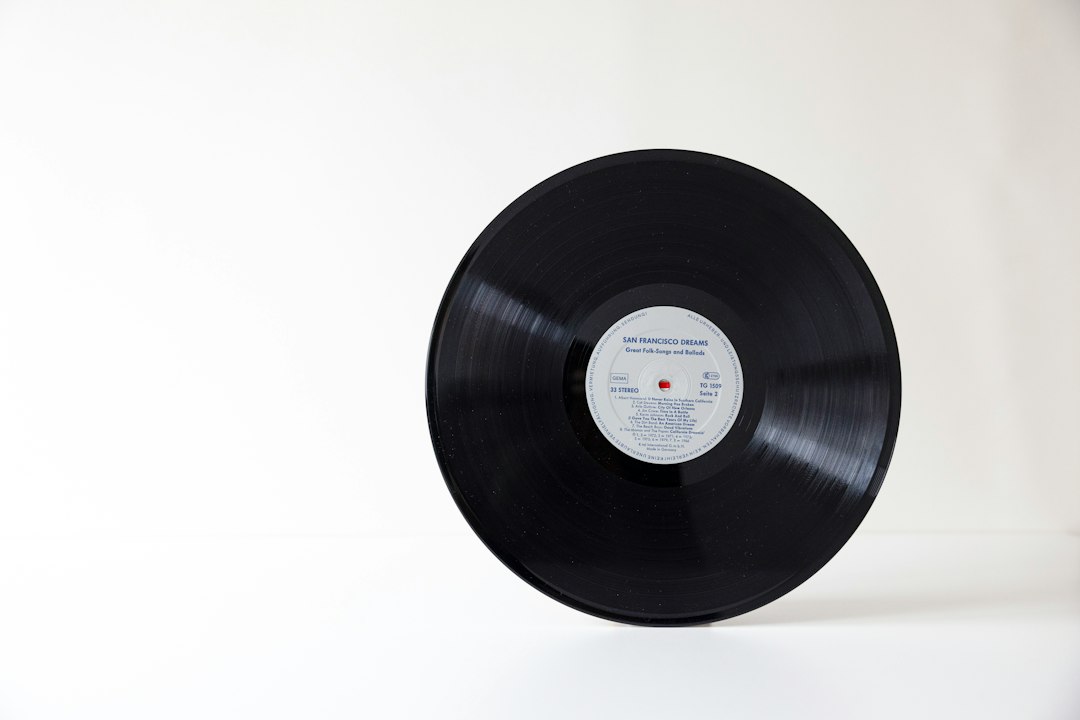
Bandcamp is the best pick for independent music. When you buy a release, you usually get several download formats, including MP3, FLAC, ALAC, AAC, and WAV. Many artists also sell physical merch, vinyl, and limited editions.
Bandcamp is not a full replacement for Spotify. It is a store, not a universal streaming catalog. But when an album is available there, it is often the most honest way to buy it. You get the files. The artist gets paid. The deal is simple.
- Best for: indie, electronic, metal, experimental, jazz, and small-label releases.
- Audio quality: often excellent, with multiple file choices.
- Ownership: strong, because purchases are downloadable.
5. Amazon Music: Best for Mixed Streaming and Purchases
Amazon Music works well if you already use Prime, Alexa, Fire TV, or Echo devices. Its streaming plans support offline listening, and Amazon also sells some digital music as purchases. That mix can be useful if you want both access and ownership.
The app can feel busy. Music, podcasts, purchases, and recommendations all compete for space. Still, device support is good. Families with smart speakers may find it more practical than separate tools.
6. YouTube Music Premium: Best for Rare Versions and Live Tracks
YouTube Music Premium is helpful when you care about remixes, live sessions, covers, and obscure uploads. It also supports offline playback in the app. That makes it a better legal choice than copying audio from random videos.
Its weakness is organization. Metadata can be inconsistent because some content comes from video uploads. If you need clean album filing, Qobuz or Bandcamp will feel better. If you want discovery, YouTube Music is hard to ignore.
How to Choose the Right Alternative
Pick based on what you actually need. Do not start with the tool. Start with the use case.
- For offline listening: choose Spotify Premium, Apple Music, Amazon Music, or YouTube Music Premium.
- For file ownership: choose Bandcamp or Qobuz.
- For hi-res audio: choose Qobuz first, then check Bandcamp.
- For independent artists: choose Bandcamp.
- For smart speakers: choose Amazon Music or Spotify.
Expect to waste time on free downloader sites. Some work for a week, then disappear. Others return mislabeled tracks or push suspicious ads. A legal service costs money, but it also saves time and reduces risk.
Final Verdict
Spotidownloader is not the best answer for serious music downloading. It may look convenient, but the legal, quality, privacy, and reliability issues are real. For most listeners, Spotify Premium or Apple Music is the better daily choice. For people who need actual files, Bandcamp and Qobuz are the strongest alternatives.
The best setup may be a mix. Use a streaming subscription for discovery and daily listening. Buy favorite albums from Bandcamp or Qobuz when you want permanent copies. That approach is cleaner, safer, and far less annoying than chasing another broken downloader.