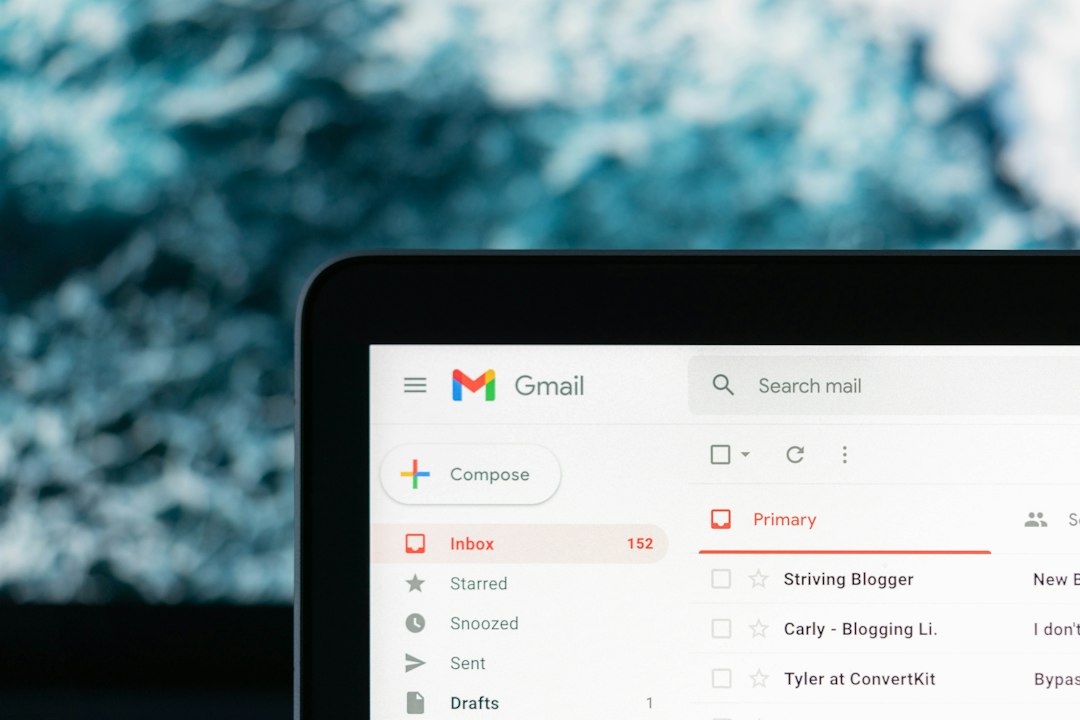
Best pick: choose Clean Email if you want one inbox cleanup tool that handles bulk unsubscribing, filtering, auto clean rules, and privacy without much fuss. Pick Mailstrom if your inbox is already a disaster and you need to sort thousands of old emails by sender, date, size, or subject. Pick SaneBox if your main problem is distraction, not clutter. That matters because office users can receive well over 100 emails per day, which makes manual cleanup painful fast [source: Radicati Group].
TLDR: Clean Email is the safest all-around choice for bulk unsubscribe and long-term email organization. Mailstrom is great for one big cleanup session, especially if you have 10,000 unread emails and want to remove whole groups in minutes. SaneBox is better for sorting new mail into smart folders, so your inbox stays quiet. For example, if 40% of your inbox comes from newsletters and promos, Clean Email or Leave Me Alone can cut that junk down in one afternoon.

1. Clean Email: best all-round inbox cleaner
Clean Email is the most complete tool on this list. It works with Gmail, Outlook, Yahoo, iCloud, and many IMAP accounts. Its biggest strength is that it groups messages into easy bundles, such as “social notifications,” “online shopping,” “old emails,” and “large attachments.”
The unsubscribe tool is simple. You can remove yourself from mailing lists in bulk, then block future messages if the sender keeps pestering you. That last part is useful. Some brands pretend they unsubscribed you, then pop back up two weeks later. Annoying? Very.
- Best for: people who want bulk unsubscribe, rules, and cleanup in one place.
- Standout feature: Auto Clean rules that keep applying after setup.
- Weak spot: the number of options can feel like a lot at first.
If you also care about privacy, it pairs well with the habits in this guide on anonymous email and privacy tools.
2. Mailstrom: best for attacking a huge backlog
Mailstrom feels built for the “fine, I’ll deal with this mess today” moment. It scans your inbox and lets you sort mail by sender, subject, date, size, and mailing list. Then you select big groups and archive, delete, move, or unsubscribe.
This is where Mailstrom shines. If one retailer sent you 900 promo emails since 2021, you can wipe them out as a group. No search tricks. No clicking 900 boxes. Honestly, it feels like the tool was made for inboxes people gave up on years ago.
- Best for: deep cleanup projects and old inboxes.
- Standout feature: powerful grouping for bulk actions.
- Weak spot: less focused on long-term smart sorting than SaneBox.
3. SaneBox: best for keeping distractions away
SaneBox does not try to be a classic bulk unsubscribe machine. Instead, it watches your email behavior and sorts incoming messages into folders like SaneLater, SaneNews, and SaneBlackHole.
The result is a calmer inbox. Important messages stay visible. Less urgent ones wait elsewhere. You can train it by moving emails between folders, and it gets better over time.
The catch is that SaneBox needs a little patience. It may misplace a few messages during the early setup period. Check the folders daily at first, or you may miss something useful.
- Best for: busy people who want fewer interruptions.
- Standout feature: smart sorting based on your behavior.
- Weak spot: not the fastest tool for one-time mass unsubscribing.

4. Leave Me Alone: best for simple unsubscribing
Leave Me Alone is for people who mostly want to unsubscribe and move on. It lists subscription emails, shows sender details, and lets you remove yourself from lists quickly. The design is clean and direct.
It is a strong option if your inbox problem is newsletters, discount alerts, webinars, and “we miss you” messages from apps you used once in 2019. Expect to waste time on fewer menus than with heavier tools.
- Best for: newsletter cleanup.
- Standout feature: clear unsubscribe workflow.
- Weak spot: fewer advanced organization tools than Clean Email.
5. Unroll.Me: best for casual users, with a privacy tradeoff
Unroll.Me is one of the better-known unsubscribe tools. It finds subscriptions and lets you unsubscribe or combine messages into a daily digest called the Rollup. That digest can be handy if you still want deals or updates, just not all day long.
Still, privacy-conscious users may want to read the data policy carefully. Free email tools often come with tradeoffs. If your inbox includes sensitive business mail, client work, invoices, or security alerts, pick a paid privacy-focused tool instead.
- Best for: casual cleanup and digest-style reading.
- Standout feature: Rollup digest.
- Weak spot: privacy concerns may be a deal breaker.
Quick comparison
- Clean Email: best mix of unsubscribe, rules, and organization.
- Mailstrom: best for bulk deleting old inbox clutter.
- SaneBox: best for smart filtering and focus.
- Leave Me Alone: best for fast newsletter removal.
- Unroll.Me: best for simple, casual unsubscribing.
Which one should you choose?
If your inbox is full of old junk, start with Mailstrom. Use it like a cleanup crew. Delete the giant piles first. Then switch to Clean Email if you want rules that keep the mess from returning.
If your inbox is not huge but constantly noisy, choose SaneBox. It is less about deleting and more about attention. That is a different problem, and it solves it well.
For people running apps or sending product emails, cleanup is only half the story. Good sending setup matters too. These guides on transactional email workflows and email sender authentication explain the other side: keeping wanted emails out of spam folders.

Final pick: use Clean Email for most inboxes, Mailstrom for a major cleanup, and SaneBox for daily focus. Add Leave Me Alone if unsubscribing is your only goal. Skip any tool that feels too vague about privacy, because your inbox says more about you than you think.