
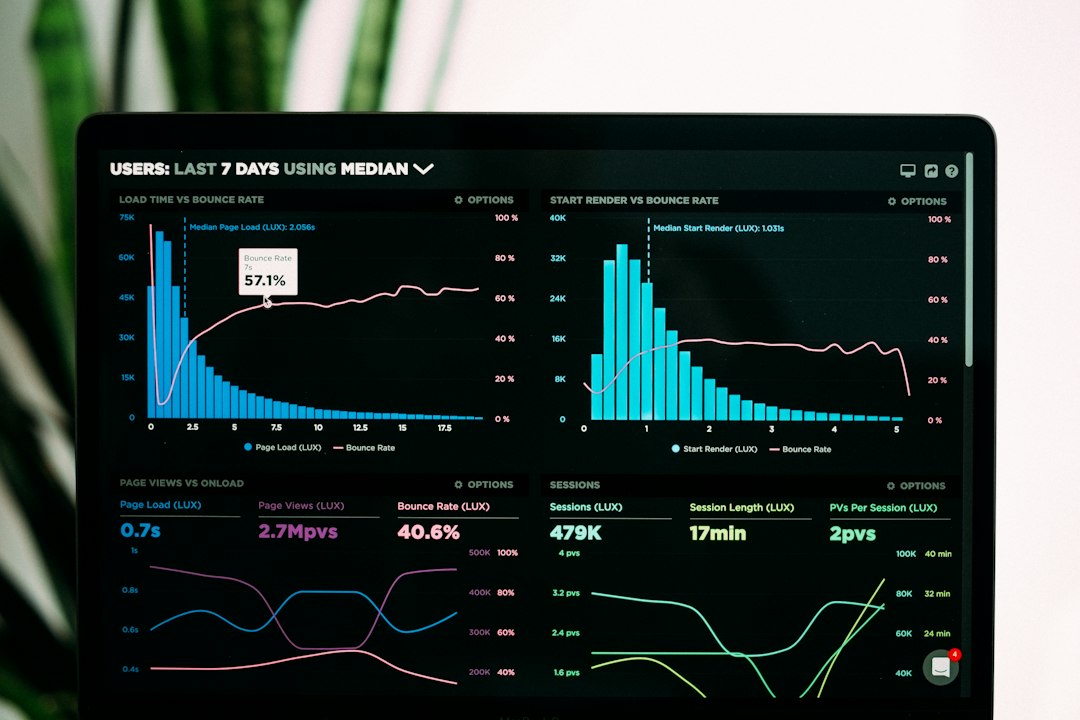
The best React dashboard templates save weeks of product work, especially when your SaaS team needs charts, tables, billing pages, roles, and admin flows ready yesterday. React is still a safe choice for this job, with 39.5% of developers reporting React usage in Stack Overflow’s 2024 survey [source: Stack Overflow]. Pick a template with clean components, clear docs, and real dashboard pages, not just pretty cards.
TLDR: For SaaS startups, choose MUI-based templates like Berry, Minimal, or Fuse if you want polished UI and strong component depth. For business analytics platforms, pick templates with strong chart support, filters, data tables, and export-ready layouts. For example, a team building a sales analytics tool with 12 KPIs, 4 user roles, and 30,000 monthly active users will usually move faster with a premium React admin kit than a blank Vite project. Expect to save 2 to 6 weeks if the template already includes auth screens, billing views, dashboards, and table patterns.
What Makes a React Dashboard Template Worth Buying?
A good React dashboard template is not just a sidebar and a chart. It should give you a working product shell. That means layouts, forms, charts, tables, profile pages, login flows, error screens, and reusable UI parts.
The catch is, many templates look great in screenshots but feel clumsy after 20 minutes. Buttons are hard to restyle. Tables break on mobile. Dark mode works on five pages and fails on the sixth. That is the stuff that burns sprint time.
Look for these basics before you commit:
- Modern React support: React 18, hooks, TypeScript if your team uses it.
- Clean folder structure: Developers should find pages and components fast.
- Chart support: Recharts, ApexCharts, Chart.js, or similar tools.
- Auth pages: Login, register, forgot password, two factor, user profile.
- Table features: Sorting, filtering, pagination, sticky columns, bulk actions.
- Theme control: Light mode, dark mode, color tokens, layout settings.
- Licensing clarity: Check SaaS usage, client work rights, and seat limits.

Best React Dashboard Templates for SaaS Startups
Berry is a strong pick for SaaS apps that need a polished dashboard without feeling bloated. It is built around Material UI, so your team gets a familiar component system. The design feels clean and business-friendly. It works well for subscription tools, CRM products, HR platforms, and customer portals.
Minimal React is another popular option for teams that care about visual quality. It has a premium feel and many ready-made screens. It fits SaaS products where the dashboard is part of the brand experience. Think project management, finance tools, or client reporting apps.
Fuse React is useful when your product needs deeper app-style screens. It often includes examples for mail, chat, contacts, file managers, and calendar views. That makes it handy for internal tools or multi-module SaaS platforms.
Best fit: early SaaS teams that want polished UX, account settings, dashboards, user flows, and settings pages without building every detail from scratch.
Best React Templates for Business Analytics Platforms
Analytics products live or die by clarity. Users need to scan numbers fast. They need filters that make sense. They need charts that do not feel like decoration.
AdminKit React is a good choice for analytics-focused products. It offers dashboards, charts, tables, and common admin pages. The layout is simple, which is a plus. Analytics users do not want visual noise.
CoreUI React is practical and mature. It gives teams a stable base for BI panels, reporting tools, and operations dashboards. It also has a free version, which helps if you are testing ideas before buying a license.
Tabler React has a clean look and feels light. It works well for dashboards with many metrics and status cards. It is also a solid choice if your team wants something less tied to Material UI.
Honestly, it feels like some analytics templates forget that tables matter as much as charts. If a table takes three extra clicks to filter by date or account owner, users will blame your product, not the template.

Best React Templates for Admin Panels
Admin panels need speed and control. Internal users want to edit records, approve requests, assign roles, and fix problems. Pretty screens help, but workflow matters more.
Ant Design Pro is a smart fit for serious admin systems. It works well for enterprise-style software, permission-heavy apps, and data-heavy operations tools. The UI is structured and familiar for business users.
Material Dashboard React is a good fit for smaller admin panels. It is easy to understand and quick to launch. Use it for CMS back offices, support dashboards, inventory panels, or basic customer management screens.
Metronic React is large and feature-rich. It can be overkill for a small product, but it shines when you need many layouts, widgets, and page types. Just expect a learning curve. Big templates can feel like moving into a fully furnished mansion where half the drawers are locked.
Free vs Premium React Dashboard Templates
Free templates are great for prototypes, internal demos, or small admin tools. They help you move fast and test structure. The limit is usually depth. You may get one dashboard, a few components, and basic pages.
Premium templates make sense when the dashboard is central to the product. You usually get more page examples, better theme control, extra chart layouts, and better support. For a funded SaaS startup, that cost is often cheaper than one week of design and frontend work.
Quick Picks by Use Case
- New SaaS MVP: Berry, Minimal React, or Material Dashboard React.
- Analytics product: AdminKit React, CoreUI React, or Tabler React.
- Enterprise admin panel: Ant Design Pro or Metronic React.
- Design-heavy app: Minimal React or Fuse React.
- Budget prototype: CoreUI free version or Tabler-based starter kits.
Final Buying Advice
Do not pick the template with the flashiest homepage. Pick the one closest to your real product. If your app needs billing, roles, audit logs, and five table views, check those pages first.
Before buying, open the live demo and test three things: mobile behavior, table usability, and theme editing. If those feel rough, move on. A React dashboard template should make your team faster, not give them a prettier mess to clean up.




