Pick OneSignal if you want faster customer engagement wins. Pick Firebase Cloud Messaging if your team wants deep control and already lives inside Firebase. Both can send push notifications, and Firebase Cloud Messaging can send them at no cost [source: Firebase]. But the real question is not “Which one sends pushes?” It is “Which one helps people click, buy, return, and smile?”
TLDR: OneSignal is easier for marketers and small teams because it has ready-made segments, journeys, templates, and analytics. Firebase is better for developers who want custom logic, app data, and more control. For example, a food app with 50,000 users might send a “20% off lunch” push at 11:30 AM and lift orders by 12% that day. If you want speed, choose OneSignal. If you want code-first power, choose Firebase.
Push notifications are tiny messages with big jobs
A push notification is that small pop-up on your phone or browser. It says things like:
- “Your order is out for delivery.”
- “Flash sale ends in 2 hours.”
- “You left sneakers in your cart.”
- “Sarah replied to your comment.”
Simple, right? Not always. A bad push feels like a mosquito. Buzz. Buzz. Buzz. Delete app.
A good push feels helpful. It arrives at the right time. It says the right thing. It gives the user a clear reason to tap.
That is where OneSignal and Firebase come in.
OneSignal vs Firebase in plain English
OneSignal is like a friendly push notification cockpit. You open the dashboard. You pick an audience. You write the message. You send it. Done.
Firebase Cloud Messaging, often called FCM, is more like an engine. It is powerful. It is flexible. But you need someone who knows how to build around it.
Honestly, it feels like OneSignal is made for teams who say, “We need this campaign live by lunch.” Firebase is made for teams who say, “We need custom event logic tied to our app backend.”
Quick comparison
| Feature | OneSignal | Firebase |
|---|---|---|
| Ease of use | Very easy | More technical |
| Best for | Marketing teams, growth teams, startups | Developers, product teams, custom apps |
| Campaign builder | Built in | Limited without extra setup |
| Segmentation | Simple and visual | Strong, but needs events and setup |
| Analytics | Easy to read | Great with Google Analytics |
| Developer effort | Lower | Higher |
OneSignal push notification examples
OneSignal shines when you want to create polished campaigns without begging a developer every 20 minutes. That alone can save your sanity.
1. Cart recovery push
Message: “Still thinking it over? Your cart is waiting. Grab 10% off before midnight.”
Why it works: It is clear. It has urgency. It gives a reward.
Best for: Ecommerce stores, fashion apps, beauty brands, food delivery apps.
2. Welcome push
Message: “Welcome to FitFox! Start your first 7-minute workout now.”
Why it works: New users need a nudge. Do not make them guess.
Best for: Fitness, education, finance, and wellness apps.
3. Win-back push
Message: “We miss you. Your favorite iced latte is 25% off today.”
Why it works: It feels personal. It gives the user a reason to return.
With OneSignal, you can build segments like “users inactive for 14 days” or “users who bought coffee before.” Then you can send each group a different message.
That is the fun part. Less guessing. More “Oh wow, that worked.”
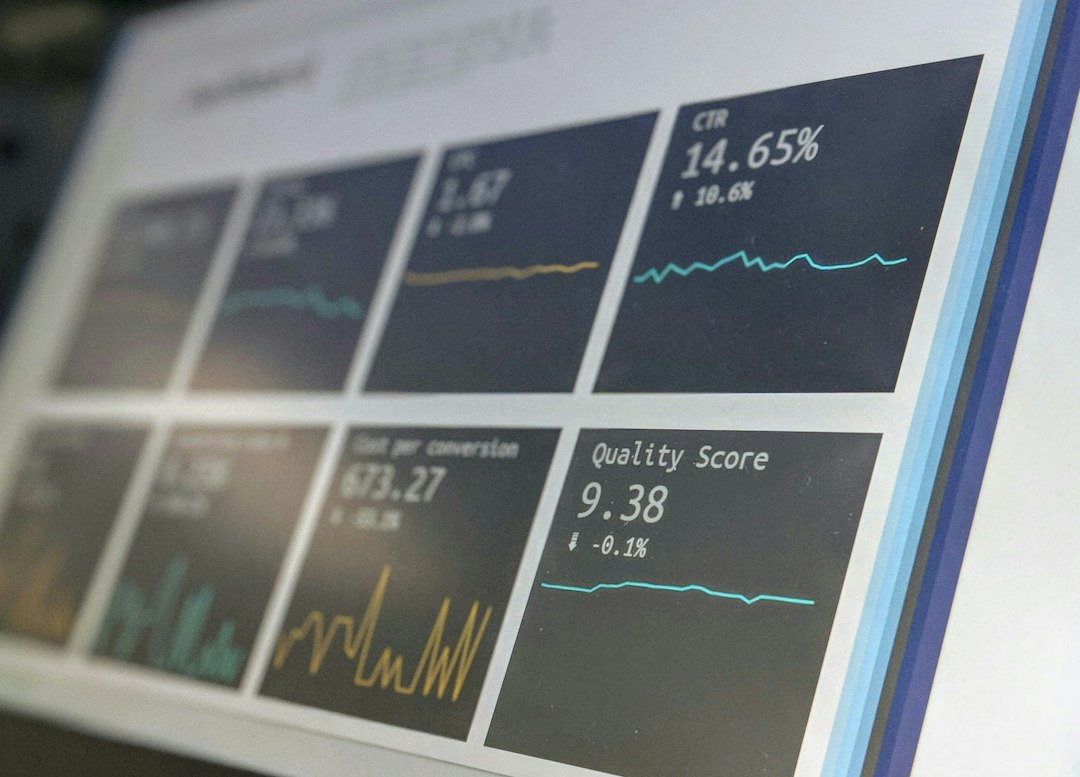
Firebase push notification examples
Firebase is great when your app has rich user behavior data. It connects well with Google Analytics for Firebase, which can track events like purchases, level completions, sign-ups, and app opens [source: Firebase].
The catch is that Firebase often needs more setup. Expect to spend time with events, tokens, permissions, and backend code. None of that is evil. It just slows non-technical teams down.
1. Game level reminder
Message: “You are one level away from unlocking the Dragon Hat. Finish Level 9 now.”
Why it works: It uses progress. People hate leaving a prize unfinished.
Best for: Games and learning apps.
2. Subscription renewal push
Message: “Your Pro plan renews tomorrow. Tap to manage your subscription.”
Why it works: It builds trust. No one likes surprise billing.
Best for: SaaS apps, media apps, premium tools.
3. Real-time delivery update
Message: “Your driver is 3 stops away. Keep your socks on. Pizza is close.”
Why it works: It is useful. It lowers support questions.
Best for: Delivery, logistics, ride-sharing, and booking apps.
Which one improves customer engagement more?
OneSignal usually wins for speed. You can launch campaigns faster. You can test message copy faster. You can see results faster.
Firebase usually wins for custom product behavior. If your app needs messages based on complex app events, Firebase can be a strong fit.
Here is the simple split:
- Use OneSignal if your team cares about campaigns, retention, promos, and easy testing.
- Use Firebase if your team has developers and wants tight control inside the app.
- Use both if you want Firebase for app data and OneSignal for campaign management.
Yes, some teams use both. It is not weird. It is like using a chef’s knife and a toaster. Different tools. Different breakfast problems.
Best push examples by industry
Ecommerce
- OneSignal: “Your size is back in stock. Tap before it sells out again.”
- Firebase: “Price drop on an item you viewed 3 times this week.”
Media and news
- OneSignal: “Breaking: Apple announces new iPhone features.”
- Firebase: “New story in your saved topic: electric cars.”
Travel
- OneSignal: “Weekend deal: Paris hotels from $89 tonight.”
- Firebase: “Your gate changed to B12. Boarding starts in 18 minutes.”
Education
- OneSignal: “Your Spanish streak is about to break. Save it in 3 minutes.”
- Firebase: “You scored 82% on verbs. Try a harder quiz?”
What makes a push notification actually good?
A good push needs four things:
- Timing: Send it when the user can act.
- Value: Give a deal, update, reminder, or benefit.
- Personal touch: Use behavior, location, or preferences.
- Clear action: Tell the user what happens after the tap.
Bad example:
“Hey! Check this out!”
Check what? Why? Am I being haunted by a vague rectangle?
Better example:
“Your saved headphones are 15% off for the next 4 hours.”
That is useful. That gets taps.
Annoying parts to watch for
OneSignal is simple, but costs can grow as your audience and message needs grow. Check pricing before you send millions of notifications and then act shocked.
Firebase is powerful, but the interface can feel less friendly for marketers. It drives me crazy that a basic campaign idea can turn into a mini engineering ticket. “Send a push to sleepy users” should not always require three meetings and a whiteboard.
Also, do not blast everyone. That is how apps get muted. Or deleted. Or cursed softly during breakfast.
My simple recommendation
If you run an online store, media site, course app, or content app, start with OneSignal. You will move faster. You will test more. Your team will not get stuck in setup mud.
If you are building a complex mobile app with custom events, live updates, and a strong dev team, choose Firebase. It gives you deep control and fits neatly with the wider Firebase toolset.
For many teams, the best setup is this: Firebase for app intelligence. OneSignal for engagement campaigns. It is clean. It is practical. And most users will not care what tool you used. They only care that the message was useful, timely, and not annoying.
Final pick: Use OneSignal when you need engagement now. Use Firebase when you need custom control. Use smart messages either way, or your push campaign becomes just another tiny box people swipe away.