Figma is usually the safer choice for designing a dating app interface, while Framer is stronger when the team needs realistic motion, scrolling, and web like prototypes. A Tinder style product lives or dies by tiny interaction details: the swipe card, the match screen, the profile preview, and the speed of onboarding. The better tool depends on whether the team is still shaping the interface or already testing how it feels in motion.
TLDR: Figma works best for wireframes, design systems, team review, and handoff. Framer works best for high fidelity prototypes that feel closer to a real dating app. For example, a small product team testing a swipe based dating concept could build its first 40 screens faster in Figma, then recreate the top 6 flows in Framer for user testing. In one common workflow, teams may spend about 70% of design time in Figma and 30% in Framer when preparing a polished investor or usability demo.
Why Dating App UI Needs Special Care
A dating app interface is not just a set of pretty cards. It must manage attention, trust, speed, and emotion. A user decides in seconds whether to swipe, pause, open a profile, or leave. That means the interface needs clear hierarchy, readable photos, smooth gestures, and almost no visual clutter.
A Tinder inspired UI often includes:
- Swipe cards with photos, name, age, distance, and short prompts.
- Match feedback that feels rewarding but not childish.
- Profile pages with photos, interests, bio sections, and safety cues.
- Chat screens that reduce awkward starts and support quick replies.
- Subscription prompts that feel useful, not pushy.
This is where the Figma vs Framer choice becomes practical. One tool helps organize the product. The other helps sell the feeling.
Figma for Tinder Style UI Design
Figma is best for structure. It gives product designers a clean space to build flows, define components, and keep every screen consistent. For a dating app, this matters because many screens reuse the same patterns: profile cards, buttons, badges, tabs, modals, empty states, and alerts.
Figma’s component system is especially useful. A designer can create one profile card component, then test many versions with different photo ratios, text lengths, badges, and call to action buttons. When the primary button color changes, the update can roll across the whole file in seconds.
Collaboration is also easier in Figma. Product managers can comment on onboarding copy. Developers can inspect spacing and values. Marketing can review premium screens. Everyone sees the same source. That keeps the project from turning into a messy folder of exports named “final final 7.”
It drives teams a little mad that Figma prototypes can still feel stiff for gesture heavy apps. Swipe interactions can be shown, but they often lack the natural drag, release, and bounce that people expect from a dating app. A prototype may explain the flow, yet fail to show the feel.
Framer for Prototyping Swipe Behavior
Framer is best for realistic interaction. It can show a dating app concept with smooth motion, animated cards, layered screens, scroll behavior, and transitions that feel closer to production. This is useful when stakeholders need to understand the emotional rhythm of the app.
For Tinder style interactions, Framer can make a swipe deck feel alive. Cards can move, rotate, fade, stack, and react to user input. A match screen can animate in with more detail. A profile view can scroll with sticky action buttons. These details are hard to judge from still screens.
Framer also helps during usability testing. A participant can tap, scroll, and move through a prototype with fewer reminders that the app is fake. This can produce better feedback. If testers hesitate before swiping, skip a prompt, or miss a safety feature, the team sees it sooner.
The catch is that Framer can slow down early layout work. Building every screen there from scratch may feel like using a race car to do grocery shopping. A simple copy change or layout comparison can take longer than expected. Expect to waste time if the product direction is still shifting every day.
Side by Side Comparison
| Area | Figma | Framer |
|---|---|---|
| Best use | UI design, wireframes, design systems, handoff | Interactive prototypes, motion tests, demo builds |
| Swipe card design | Great for layout variations | Great for realistic movement |
| Team comments | Very strong | Good, but less central to the workflow |
| Developer handoff | Strong specs and assets | Useful for behavior reference |
| Learning curve | Easier for most UI teams | Better for designers who like motion and logic |
Which Tool Fits Each Stage?
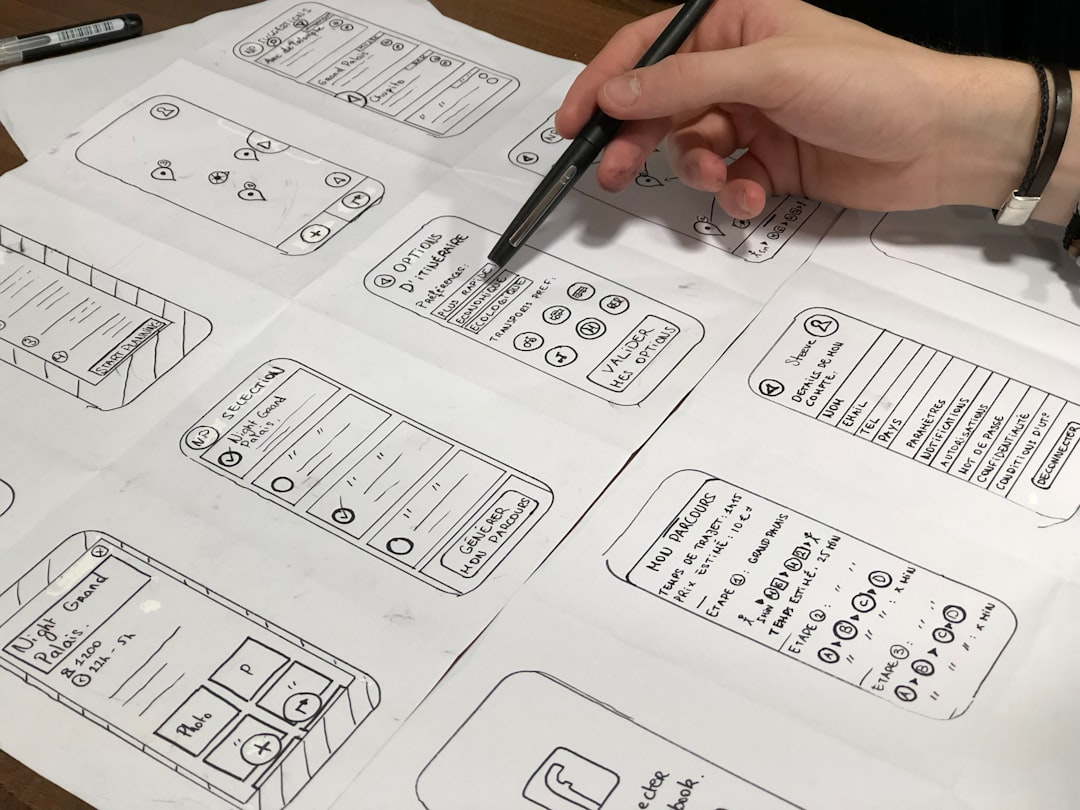
For the first product pass, Figma is more efficient. A designer can map onboarding, home, profile, match, chat, settings, and paid upgrades quickly. The team can compare options without getting stuck inside interaction settings.
For the second pass, Framer becomes more useful. Once the flow is clear, the most critical screens can be rebuilt as a high fidelity prototype. This often includes sign up, card swiping, match reveal, profile expansion, and first message.
A practical process looks like this:
- Start in Figma with low fidelity wireframes.
- Create core components for cards, buttons, tabs, forms, and profile sections.
- Design the main user flows, especially onboarding and matching.
- Test static clarity with teammates or users.
- Move key flows into Framer for motion and interaction testing.
- Send Figma specs to developers and use Framer as a behavior guide.
Design Details That Matter in Dating Apps
Whether the team chooses Figma, Framer, or both, the same design rules apply. A Tinder style interface must be fast, calm, and clear. The swipe action should not fight the thumb. Buttons should sit where users expect them. Safety features should be visible without making the product feel scary.
Photo treatment needs special care. A dark gradient behind text can improve readability, but too much overlay makes profiles feel dull. Icons should be obvious. A heart, cross, star, or rewind action must be easy to understand in less than a second.
Microcopy also matters. “It’s a match” works because it is short and emotional. Long explanations kill the moment. For subscription screens, simple benefit labels often perform better than feature lists. “See who liked you” is clearer than a vague premium pitch.
The Best Choice
For most teams, Figma should be the main design tool. It is better for building the full interface, maintaining consistency, collecting feedback, and preparing developer documents. It keeps the product organized.
Framer should support the moments that need motion. A dating app depends on feel, so static screens are not enough. A swipe deck, match reveal, profile expansion, and chat transition deserve a realistic prototype before development begins.
The smartest answer is not Figma or Framer. It is Figma first, Framer second. Figma shapes the dating app. Framer proves how it feels.
FAQ
Is Figma enough to design a Tinder like dating app?
Yes. Figma is enough for visual design, user flows, components, and developer handoff. It may not fully capture natural swipe movement, so a second tool can help for motion testing.
Is Framer better than Figma for swipe animations?
Framer is usually better for realistic swipe interactions and polished prototypes. It gives designers more control over movement, transitions, and interactive behavior.
Should a startup use both Figma and Framer?
Often, yes. A startup can design the complete product in Figma, then build a smaller Framer prototype for user testing, investor demos, or stakeholder approval.
Which tool is faster for early dating app concepts?
Figma is faster for early concepts. It makes layout changes, screen comparisons, and team comments easier during the rough stage.
Which tool helps developers more?
Figma usually helps developers more because it provides clear specs, assets, styles, and component references. Framer helps developers understand how motion and interactions should feel.