
For most revenue teams, Salesforce is the strongest choice for complex territory management, while HubSpot works best for simpler sales teams that need clean routing, light segmentation, and fast setup. The real decision is not “which CRM is better?” It is “how hard are your territories to plan, balance, and change?” If your sales regions depend on account value, industry, rep capacity, geography, product lines, and named accounts, Salesforce usually wins. If you sell by city, state, company size, or lead source, HubSpot can be more than enough.
TLDR: Salesforce is better for large teams with layered rules, overlays, and frequent territory changes. HubSpot is easier for smaller teams that want speed and cleaner daily use. For example, a 40 rep software company moving from spreadsheet planning to structured territories could reduce duplicate account ownership by 20 to 30 percent with Salesforce, while a 10 rep agency might set up HubSpot routing in a single afternoon. Other tools such as Fullcast, Xactly, eSpatial, Maptive, and Badger Maps can fill gaps when mapping, quota planning, or field sales routes matter most.
What territory management really means
Sales territory management is the process of assigning accounts, leads, regions, or market segments to the right sales reps. Done well, it creates fair coverage and better revenue focus. Done badly, it creates chaos.
Bad territory design shows up fast. One rep gets all the high value accounts. Another spends half the week chasing tiny opportunities. Two reps contact the same prospect. A manager loses three hours fixing ownership disputes. No one enjoys that.
Good territory planning usually combines these inputs:
- Geography: country, state, city, postal code, or field route.
- Account value: revenue, employee count, funding, or buying potential.
- Industry: healthcare, finance, manufacturing, SaaS, retail, and more.
- Sales capacity: how many accounts or opportunities each rep can handle.
- Specialization: product knowledge, language, enterprise skills, or partner coverage.
- Quota fairness: balanced opportunity, not just equal account counts.

Salesforce for territory management
Salesforce Enterprise Territory Management is built for teams that need deep control. It lets you create territory models, assign accounts by rules, test changes, and activate new structures. You can build territory hierarchies for regions, segments, verticals, overlays, and named accounts.
This is where Salesforce shines. A national sales team can split the United States into regions, assign strategic accounts to senior reps, route mid market accounts by state, and add product specialists as overlays. Managers can also model changes before they affect live assignments.
Salesforce also connects territory design to reports, forecasts, quotas, and account ownership. That matters for leadership. A territory plan is not useful if it lives in one spreadsheet on someone’s desktop.
Best fit for Salesforce:
- Enterprise or mid market sales teams.
- Complex account hierarchies.
- Multiple sales roles touching the same account.
- Frequent territory redesigns.
- Teams that need forecasting by region or segment.
The catch is that Salesforce takes work. Setup can feel heavy. Admins need to understand objects, rules, permissions, reports, and territory models. It drives me crazy that a small assignment change can still turn into a mini admin project if the original setup was messy. But for complex sales orgs, that effort often pays for itself.
HubSpot for territory management
HubSpot is not a territory management platform in the same deep sense as Salesforce. It does not offer the same native territory modeling. Still, many teams use HubSpot very successfully for territory based assignment.
HubSpot can assign leads and companies using properties, workflows, teams, lists, and ownership rules. You can route by country, state, lifecycle stage, company size, industry, or source. With Operations Hub, data quality and automation options get stronger.
For example, a regional agency could create rules like this:
- California, Oregon, and Washington leads go to the West team.
- New York and New Jersey leads go to the East team.
- Enterprise leads with over 1,000 employees go to senior reps.
- Existing customer expansion leads go to account managers.
That is simple, clear, and useful. It also takes less time than a full Salesforce build. HubSpot feels faster for everyday users. Reps usually need less training. Managers can update basic routing without waiting two weeks for a CRM admin queue.
Still, HubSpot has limits. When routing rules stack up, workflows can become hard to audit. You may end up with ten similar workflows, three lists with nearly identical filters, and one mystery rule from last quarter that nobody wants to touch. Honestly, that gets old fast.
Best fit for HubSpot:
- Small to mid sized sales teams.
- Inbound heavy sales motions.
- Simple geographic or segment based routing.
- Teams that value speed over advanced modeling.
- Companies already using HubSpot for marketing automation.
Salesforce vs HubSpot: key differences
Complexity: Salesforce handles complex territory structures better. HubSpot handles simple routing better.
Setup speed: HubSpot is usually faster. Salesforce needs more planning and admin skill.
Scalability: Salesforce scales better for large sales organizations. HubSpot can scale too, but territory logic may become harder to manage as rules multiply.
Reporting: Salesforce offers stronger territory based forecasting and reporting. HubSpot reports are easier to build for basic sales views.
User experience: HubSpot often feels cleaner for reps. Salesforce can feel dense, unless it is configured with care.
Cost: HubSpot may be cheaper for simple teams. Salesforce can cost more due to licenses, implementation, and admin support. The price gap often grows when consultants enter the picture.
Other tools worth considering
Salesforce and HubSpot are not the only options. Some teams need a planning tool that sits beside the CRM. Others need mapping software for field sales. A few need quota and capacity planning more than CRM assignment.
- Fullcast: Strong for revenue planning, territory design, routing, and ongoing go to market operations. Good for companies that change segments or regions often.
- Xactly: Useful for sales performance, compensation, quota planning, and territory alignment. Best for teams that tie territories closely to incentives.
- Anaplan: Powerful for enterprise planning. It can support territory and quota models, though it often needs skilled builders.
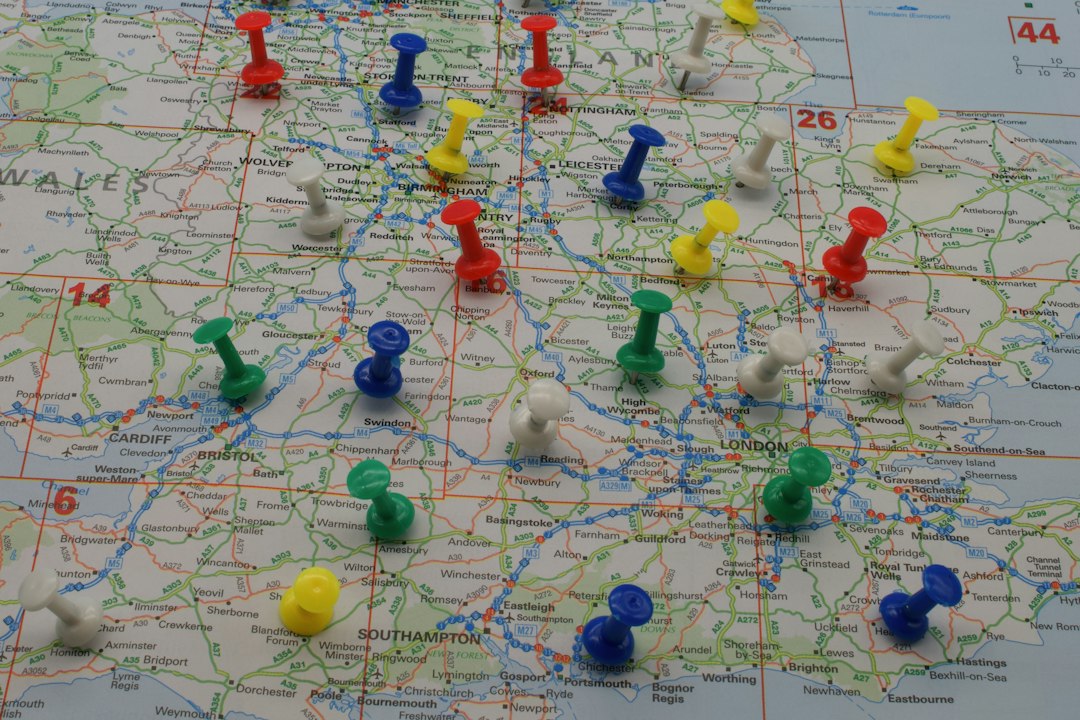
- eSpatial: Excellent for map based territory planning. Helpful when geography, drive time, and account density affect sales productivity.
- Maptive: Good for quick territory maps, postal code views, and visual planning. It is practical for teams that want mapping without a huge system rollout.
- Badger Maps: Built for field sales reps who need route planning, check ins, and location based account visits.
- SPOTIO: Good for outside sales, door to door teams, canvassing, and field rep activity tracking.
- Zoho CRM: A lower cost CRM option with assignment rules and regional segmentation. Better for budget conscious teams with modest needs.
How to choose the right tool
Start with territory pain, not software features. Ask where revenue is leaking.
- Are reps fighting over account ownership?
- Are high value accounts spread unevenly?
- Are leads waiting too long for assignment?
- Are field reps wasting time on poor routes?
- Are managers rebuilding the same spreadsheet every quarter?
If the main issue is complex account assignment, choose Salesforce or a planning tool like Fullcast. If the issue is simple lead routing, HubSpot may be enough. If the issue is field coverage, consider eSpatial, Badger Maps, Maptive, or SPOTIO. If the issue is quota fairness and compensation, Xactly or Anaplan may be a better match.
Practical planning tips
Do not build territories from gut feel alone. Use numbers. Track account count, revenue potential, active opportunities, sales cycle length, win rate, travel time, and rep capacity.
A fair territory is not always an equal territory. One rep may own 50 enterprise accounts. Another may own 300 small business accounts. That can be fair if the revenue potential and workload match.
Review territories at least twice a year. Markets shift. Reps leave. New products change who should sell what. Old rules get stale, and stale routing quietly hurts pipeline.
The best territory tool is the one your team can keep clean. Salesforce gives power. HubSpot gives speed. Mapping and planning tools add focus where CRMs fall short. Pick based on your sales motion, your data quality, and how often your territory plan changes.