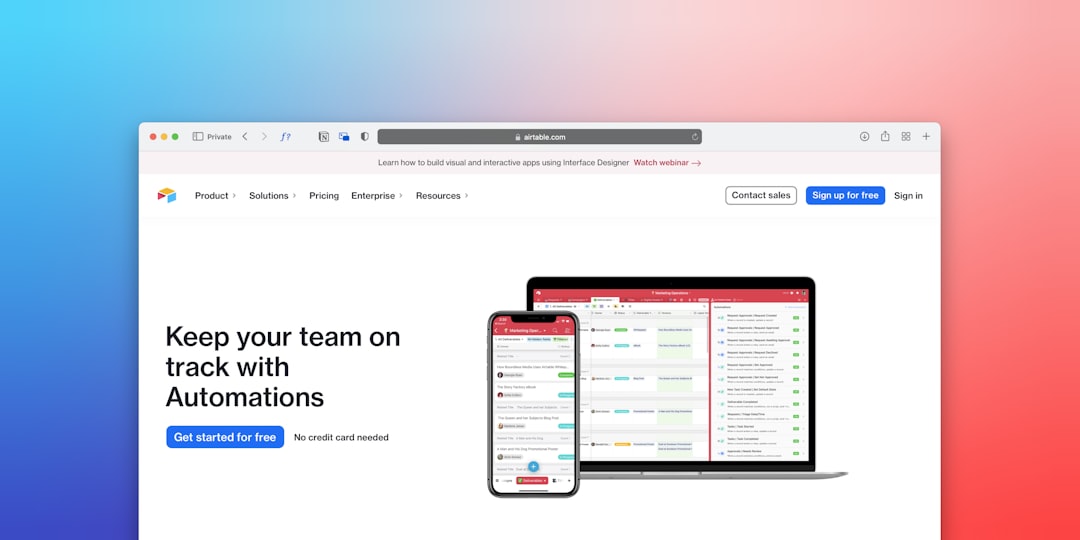
Safari has grown from a clean, fast browser into a surprisingly capable productivity hub. With the right extensions, it can help you write better, save time, block distractions, manage passwords, capture research, and turn scattered browser tabs into a more focused workflow. The best part is that many Safari extensions work across Apple devices, so your productivity setup can follow you from Mac to iPad and iPhone.
TLDR: The best Safari extensions for productivity are the ones that remove friction: password managers, writing assistants, ad blockers, research tools, tab organizers, and read later apps. 1Password, Grammarly, Todoist, Raindrop.io, Wipr, Notion Web Clipper, and StopTheMadness are among the most useful options for everyday work. Start with just a few extensions that solve your biggest bottlenecks, because too many add ons can become another source of clutter.
Why Safari Extensions Matter for Productivity
A good browser extension does not simply add features; it shortens the path between intention and action. If you repeatedly copy links into notes, search for passwords, close distracting pop ups, or lose useful articles in a sea of tabs, the right Safari extension can turn those tiny interruptions into smooth, almost invisible steps.
Safari is especially appealing for productivity because it is deeply integrated with macOS, iOS, and iPadOS. Extensions can support Face ID, Touch ID, iCloud syncing, Share Sheets, Reading List, Focus modes, and Apple’s privacy protections. This makes Safari a strong choice for people who want a browser that feels efficient without becoming overloaded.

1. 1Password: Fast, Secure Logins Without the Mental Load
Best for: password management, secure logins, two factor authentication, form filling
1Password is one of the most polished Safari extensions available. It lets you save, generate, and autofill strong passwords without needing to remember them. For productivity, that matters more than it might seem. Every forgotten password, reset email, and duplicated login is a break in concentration.
The Safari extension can fill usernames, passwords, addresses, payment details, and one time codes. It also helps identify reused or weak passwords, which is useful if you are trying to clean up years of messy online accounts. For teams and freelancers, vault sharing is especially helpful because it removes the risky habit of sending credentials through messages or emails.
Why it improves productivity: you spend less time logging in and more time doing the work you opened the browser for.
2. Bitwarden: A Powerful Free Password Manager Alternative
Best for: budget friendly password management, cross platform workflows
If you want a strong password manager with a generous free plan, Bitwarden is an excellent Safari extension. It handles password generation, autofill, secure notes, and syncing across devices. The interface is not quite as elegant as 1Password, but it is reliable, open source, and widely trusted.
Bitwarden is a smart choice for students, small teams, or anyone who uses multiple operating systems and browsers. Since productivity often depends on consistency, having one password manager everywhere can save real time over the long run.
3. Grammarly: Cleaner Writing Everywhere You Type
Best for: emails, documents, forms, social posts, professional communication
Grammarly is one of the most recognizable writing assistants, and its Safari extension can be a major help if your day involves emails, proposals, reports, or content creation. It checks spelling, grammar, clarity, and tone while you type in many web based text fields.
What makes Grammarly useful is not just catching typos. It can help make sentences more direct, reduce awkward phrasing, and adjust tone so your message sounds more confident or more polished. For busy professionals, that can mean fewer rewrites and fewer moments of hesitation before hitting send.
Tip: use Grammarly as an assistant, not an autopilot. Its suggestions are helpful, but your judgment should decide whether a sentence sounds right for your audience.
4. LanguageTool: A Flexible Writing Checker with Multilingual Support
Best for: multilingual writing, grammar checking, privacy conscious users
LanguageTool is a strong alternative to Grammarly, especially if you write in more than one language. It supports many languages and can catch grammatical issues, punctuation errors, and style problems across web pages.
It is particularly useful for remote workers, international teams, academics, and anyone who switches between languages during the day. The extension is lightweight, practical, and less intrusive than some writing tools, making it a good fit for people who want help without constant interruption.
5. Todoist: Turn Web Pages Into Actionable Tasks
Best for: task management, project planning, follow ups, personal organization
Todoist is a popular task manager, and its Safari extension makes it easy to turn websites, emails, documents, and articles into tasks. Instead of leaving a tab open as a reminder, you can add the page to Todoist with a due date, project, priority, and note.
This is a deceptively powerful habit. Open tabs are often just unresolved decisions. With Todoist, you can close the tab and trust that the task will return when it matters. That helps reduce visual clutter and mental pressure.
- Save a research article as a task for later reading.
- Create a follow up reminder from a client portal or CRM page.
- Add shopping or admin tasks without switching apps.
- Attach useful links directly to project tasks.

6. Things: Elegant Task Capture for Apple Focused Users
Best for: personal productivity, simple project organization, Apple ecosystem workflows
If you prefer a beautifully designed task manager that feels native to Apple devices, Things is a standout option. While it is not a traditional browser heavy extension in the same way as some tools, Safari sharing and capture features make it easy to send links into your task system.
Things is ideal for people who want less complexity than a full project management platform. You can quickly capture a page, assign it to an area or project, and move on. Its clean design encourages a calm, focused approach to work rather than a dashboard filled with noise.
7. Raindrop.io: A Smarter Bookmark Manager
Best for: research, resources, collections, creative inspiration
Safari’s built in bookmarks are fine for simple saving, but Raindrop.io is far better if you collect lots of resources. It lets you save links into organized collections, add tags, search your saved content, and preview visual thumbnails.
For writers, designers, marketers, developers, and researchers, Raindrop.io can become a personal knowledge library. Instead of throwing everything into a generic bookmarks folder, you can build curated collections for clients, topics, projects, or future ideas.
Why it is productive: it reduces the time spent hunting for something you already found once.
8. Pocket: Save Articles for Focused Reading Later
Best for: reading lists, article discovery, distraction free reading
Pocket is perfect for people who constantly find interesting articles when they should be doing something else. With one click, you can save an article to read later in a cleaner, more comfortable format.
The productivity benefit is subtle but important. Pocket helps separate discovery from consumption. When you are working, you can save useful content without falling into a 30 minute reading detour. Later, when you have dedicated reading time, your saved articles are waiting.
9. Notion Web Clipper: Capture Research Into Your Workspace
Best for: students, teams, content creators, knowledge management
If Notion is your main workspace, the Notion Web Clipper is one of the most useful Safari tools you can install. It lets you save web pages directly into a Notion database, project page, reading list, or research hub.
This is especially practical for building a personal knowledge system. You can capture competitor pages, academic sources, recipes, travel ideas, product research, or meeting related material. Once saved in Notion, the page can be categorized, commented on, and connected to your larger workflow.

10. Evernote Web Clipper: Reliable Saving for Notes and Research
Best for: clipping articles, saving screenshots, archiving web pages
Evernote Web Clipper remains a strong option for people who use Evernote as their digital filing cabinet. It can save simplified articles, full pages, bookmarks, screenshots, and selected portions of a page.
Evernote’s strength is quick capture with search. If you collect receipts, documentation, reference material, or research snippets, the Web Clipper can keep everything accessible. It is less trendy than newer workspace tools, but still highly useful for dependable information storage.
11. Wipr: Block Ads and Speed Up Browsing
Best for: distraction reduction, faster page loading, cleaner websites
Wipr is a simple and effective content blocker for Safari. It blocks many ads, trackers, cryptocurrency miners, and annoyances, which can make browsing faster and calmer. Unlike some ad blockers that require constant tweaking, Wipr is designed to stay out of your way.
From a productivity perspective, ad blocking is not just about aesthetics. Slow, noisy web pages drain attention. Removing clutter can make research, reading, and online work feel noticeably smoother.
12. AdGuard for Safari: More Control Over Blocking
Best for: customizable ad blocking, privacy, advanced filter control
AdGuard for Safari is another excellent content blocker, especially if you want more control over filters and rules. It can block ads, trackers, pop ups, social widgets, and other distracting page elements.
It is a good choice for users who like to fine tune their browsing environment. If you often visit sites that are overloaded with banners, newsletter boxes, autoplay videos, and sticky elements, AdGuard can help make the web significantly less irritating.
13. StopTheMadness: Fix the Web’s Most Annoying Behaviors
Best for: power users, browser control, removing web annoyances
StopTheMadness is a favorite among Safari power users because it restores control over things many websites try to block. It can prevent sites from disabling copy and paste, blocking keyboard shortcuts, hijacking clicks, or interfering with normal browser behavior.
This extension is especially useful if you work across many web apps, research databases, document portals, or corporate sites. Little annoyances add up: a disabled right click here, a broken shortcut there, a page that prevents normal text selection. StopTheMadness helps the web behave more like it should.
14. Noir: Automatic Dark Mode for Every Website
Best for: late night work, eye comfort, visual consistency
Noir automatically adds dark mode to websites that do not offer it. If you work early in the morning, late at night, or in low light, this can reduce eye strain and make your browsing experience feel more consistent.
Noir is not a task manager or note taking tool, but comfort is part of productivity. A browser that feels pleasant to use for long stretches can help you stay focused longer. It is also highly customizable, so you can adjust how individual sites appear.
15. Hush: Hide Cookie Banners and Consent Pop Ups
Best for: cleaner browsing, fewer interruptions, research sessions
Hush is a lightweight Safari extension that hides many cookie consent notices and privacy pop ups. It does not try to be an all purpose ad blocker; it focuses on one irritating problem and solves it quietly.
If your work involves visiting many websites in a single session, cookie banners can become surprisingly disruptive. Hush removes a layer of repeated clicking, helping you stay in the flow while browsing.
How to Choose the Right Safari Productivity Extensions
The best extension setup is not the longest one. In fact, installing too many tools can slow down your browser, create overlapping features, and add visual noise. A better approach is to identify your biggest productivity friction points and choose extensions that solve them directly.
- If you waste time logging in: install 1Password or Bitwarden.
- If you write constantly: use Grammarly or LanguageTool.
- If you keep too many tabs open: use Todoist, Pocket, or Raindrop.io.
- If websites feel distracting: try Wipr, AdGuard, Hush, or Noir.
- If you collect research: use Notion Web Clipper, Evernote Web Clipper, or Raindrop.io.
- If web pages fight your workflow: consider StopTheMadness.
Privacy and Performance Tips
Extensions can be powerful, but they also deserve a little caution. Some require access to web page content, browsing data, or form fields to work properly. Before installing anything, check the developer, read recent reviews, and pay attention to permission requests.
For best performance, review your Safari extensions every few months. Disable tools you no longer use, remove duplicates, and keep your core setup lean. Safari is at its best when it feels fast, private, and uncluttered.
Final Thoughts
The best Safari extensions for productivity are not about turning your browser into a complicated command center. They are about making everyday actions faster, calmer, and more reliable. A password manager removes login friction, a writing assistant improves communication, a task extension captures loose ends, and a content blocker clears away distractions.
Start with three essentials: one password manager, one capture tool, and one distraction reducer. Once those are part of your routine, add specialized extensions only where they genuinely improve your workflow. With a thoughtful setup, Safari can become more than a browser; it can become a focused, efficient workspace that supports the way you actually get things done.