When a birthday celebration needs a playful twist, a digital spinner can turn ordinary party planning into a lively moment of suspense. A Surprise Birthday Spinner Google concept can refer to two related ideas: exploring Google’s fun birthday-themed spinner experience, or creating a custom spinner using Google-friendly tools such as Google Slides, Google Sheets, or an online wheel picker. In either case, the goal is simple: add surprise, laughter, and interaction to a birthday gathering.
TLDR: A Surprise Birthday Spinner Google idea helps party hosts create random birthday activities, gift reveals, games, dares, prizes, or messages using a digital wheel. It can be made with simple tools such as Google Slides, Google Sheets, or browser-based spinner wheels that can be shared through Google Meet, Gmail, or a party screen. The spinner works especially well for virtual birthdays, classroom celebrations, office parties, and family gatherings. With a little customization, it becomes a fun centerpiece for choosing games, surprises, and birthday treats.
What Is a Surprise Birthday Spinner Google?
A Surprise Birthday Spinner Google is best understood as a digital spinning wheel used during a birthday celebration. Each slice of the wheel contains a surprise option, such as open a gift, sing a song, choose a cupcake, answer a funny question, or win a small prize. When the spinner is activated, it randomly lands on one option, creating anticipation for the birthday person and guests.
The word “Google” is often connected to this idea because many hosts use Google-related platforms to design, display, share, or present the spinner. A family may show the spinner during a video call on Google Meet. A teacher may organize a classroom birthday wheel through Google Slides. An office team may use a shared Google Sheet to collect surprise ideas before the celebration. The spinner itself can be simple, but the experience feels organized and interactive.

Why Birthday Spinners Are So Popular
Birthday spinners are popular because they combine randomness with celebration. People enjoy not knowing what will happen next, and a spinner creates a mini event within the party. It can replace awkward pauses, guide the schedule, or make guests feel more involved.
For children, a spinner can make games easier to understand. For adults, it can add humor and nostalgia. For remote teams or long-distance families, it can make a virtual celebration feel less like a standard video call and more like a shared experience.
Another reason for its popularity is flexibility. A spinner can be used for:
- Choosing party games, such as trivia, charades, or dance challenges.
- Revealing surprises, such as gifts, messages, videos, or treats.
- Assigning guests to give speeches, compliments, or funny memories.
- Selecting prizes for party games or raffles.
- Creating birthday dares, from harmless jokes to silly performances.
- Planning virtual celebrations with remote friends, coworkers, or relatives.
How Google’s Birthday Surprise Spinner Inspires the Idea
Google has previously celebrated its birthday with playful interactive doodles, including birthday-themed surprise spinners that let users access mini-games and nostalgic doodle activities. These experiences helped popularize the idea of a colorful wheel that reveals something unexpected after a spin.
Party hosts often borrow that same feeling for personal celebrations. Instead of spinning for old doodles or mini-games, the birthday spinner can reveal activities designed around one specific person. For example, a spinner for a music lover may include karaoke songs, lyric challenges, or album trivia. A spinner for a child may include stickers, candy rewards, animal dances, or toy-themed clues.
How to Create a Surprise Birthday Spinner with Google Slides
Google Slides is one of the easiest ways to create a visual birthday spinner, especially for hosts who want a custom design. Although Slides does not include a built-in spinning wheel feature in the traditional sense, it can still be used creatively to present a spinner-style activity.
- Create a new presentation. The host can open Google Slides and choose a blank layout.
- Design the wheel. A circle can be inserted and divided into colored segments using shapes or a pre-made wheel image created elsewhere.
- Add birthday options. Each segment can include a short phrase, such as birthday trivia, open gift, or dance break.
- Add a pointer. A triangle or arrow can be placed at the top of the wheel to show where the result will land.
- Create multiple result slides. Each possible spinner result can have its own slide with instructions, images, or a surprise message.
- Use transitions for drama. The host can move quickly through slides or reveal a random result after pretending to spin.
This method is ideal for school parties, online birthday meetings, or events where the spinner needs to be attractive and easy to present. It does not require advanced technical skills, and the host can share the finished presentation with collaborators.
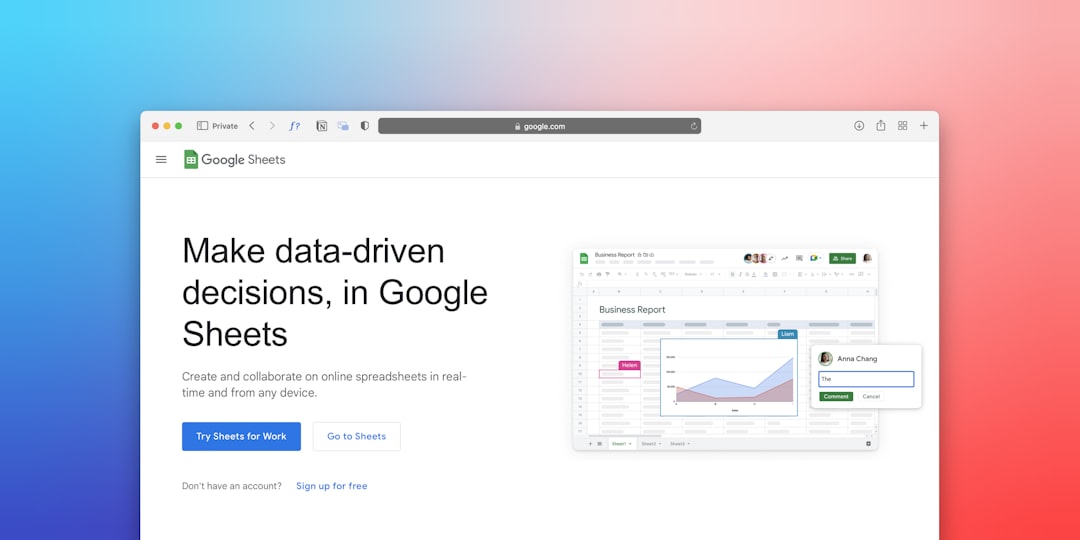
How to Create a Spinner with Google Sheets
Google Sheets can also power a simple surprise spinner, especially when the host wants a random result rather than a visual wheel. This approach is practical for raffle-style birthday games, prize selection, or random message reveals.
A basic setup may include one column labeled Surprise Options. Under that heading, the planner can list every birthday activity or reward. Another cell can use a random selection formula to choose one item from the list. For example, a formula can randomly select a row from the available options.
While this method is less decorative than a spinning wheel, it is efficient and fair. It can be especially useful for office birthdays where coworkers submit ideas in advance. The final result can be displayed on a shared screen, then refreshed whenever another surprise is needed.

Using an Online Spinner with Google Sharing Tools
Many hosts choose a browser-based spinner wheel because it looks and behaves like a real wheel. The options can be typed into the wheel, colors can be customized, and the spin animation creates excitement. Once the wheel is ready, it can be shared during a Google Meet call, linked in a Gmail invitation, or embedded as part of the party plan.
This method is often the fastest. The host enters birthday options, tests the wheel, and opens it during the event. If the celebration is virtual, screen sharing allows every guest to watch the spin in real time. If the party is in person, the spinner can be displayed on a laptop, smart TV, tablet, or projector.
Fun Ideas to Put on a Birthday Spinner
The best spinner options are short, clear, and suited to the birthday person’s personality. A wheel with too much text can feel cluttered, so each segment should contain a simple action or surprise.
Popular birthday spinner ideas include:
- Open a mystery gift
- Pick the next party song
- Share a favorite memory
- Birthday person chooses a guest challenge
- Everyone gives one compliment
- Take a funny group photo
- Choose a dessert topping
- Answer birthday trivia
- Spin again
- Win a small prize
- Watch a surprise video message
- Dance for 20 seconds
For children, the spinner can include gentle activities such as animal sound challenge, pick a sticker, or choose a balloon. For adults, it may include memories, jokes, themed questions, or mini toasts. For workplace parties, it should remain friendly, inclusive, and optional.
How to Use the Spinner During a Party
A birthday spinner works best when it has a clear role in the celebration. The host should decide whether the spinner will guide the whole event or appear only during specific moments. For example, it can be used every ten minutes, after each game, before opening gifts, or at the end of the party as a prize wheel.
The host can introduce the spinner by explaining the rules briefly. Guests should know whether the result is final, whether repeat results are allowed, and who gets to spin. In a virtual party, the birthday person may call out “spin,” while the host clicks the wheel. In an in-person party, children or guests can take turns pressing the button.
To keep the party moving, the spinner should not contain too many complicated instructions. A result should be easy to act on within a minute or two. If a segment requires preparation, such as playing a video or bringing out a cake, the host should have everything ready before the spin.

Tips for Making the Spinner More Surprising
A spinner becomes more exciting when several segments contain hidden or unexpected rewards. Instead of writing every detail on the wheel, the host can use labels such as Mystery Box, Secret Message, or Surprise Guest. When the spinner lands on that option, the host reveals what it means.
Another effective technique is mixing small and big surprises. If every segment is equally exciting, the wheel may feel predictable. A better spinner includes a combination of silly actions, emotional moments, tiny prizes, and one or two major surprises.
Good surprise elements may include:
- A recorded message from a distant friend or relative.
- A hidden gift placed under a chair.
- A favorite song suddenly played for the birthday person.
- A slideshow of childhood photos.
- A surprise dessert reveal.
- A guest appearing unexpectedly on a video call.
Common Mistakes to Avoid
Although a birthday spinner is simple, a few mistakes can make it less enjoyable. One common issue is adding too many segments. A crowded wheel can be hard to read, especially on a phone or shared screen. A wheel with 8 to 12 options is usually enough for most celebrations.
Another mistake is including activities that may embarrass guests or pressure the birthday person. The spinner should create fun, not discomfort. Any dare, performance, or personal question should be lighthearted and appropriate for the group.
Technical preparation also matters. If the event is virtual, the host should test screen sharing, sound, and links beforehand. If the spinner is part of an in-person party, the host should make sure the device is charged, visible, and connected to the internet if needed.
Best Occasions for a Surprise Birthday Spinner
A Surprise Birthday Spinner Google setup can work for many different celebration styles. It is especially helpful when guests do not all know each other, because the spinner gives everyone a shared activity. It can also support structured events where the host wants to avoid confusion.
It fits well with:
- Children’s birthday parties with games, prizes, and simple challenges.
- Teen birthday celebrations featuring music, dares, and photo prompts.
- Adult birthday dinners with memory sharing and toast prompts.
- Office birthdays with trivia, compliments, and team messages.
- Virtual birthdays where interaction is needed to keep guests engaged.
- Family gatherings where different age groups need one easy activity.
Final Thoughts
A Surprise Birthday Spinner Google idea gives hosts a simple way to add energy, suspense, and personalization to a celebration. Whether it is created in Google Slides, organized through Google Sheets, or shared during a Google Meet call with an online wheel, the spinner turns ordinary birthday moments into playful surprises.
The most successful spinner is not necessarily the most advanced one. It is the one that reflects the birthday person, includes guests comfortably, and keeps the celebration moving. With thoughtful options, a colorful design, and a few hidden surprises, a digital birthday spinner can become the highlight of the party.
FAQ
What is a Surprise Birthday Spinner Google?
A Surprise Birthday Spinner Google is a digital birthday wheel or random picker used to reveal party games, gifts, messages, prizes, or activities. It is often created, shared, or presented using Google tools such as Google Slides, Google Sheets, Gmail, or Google Meet.
Can a birthday spinner be made in Google Slides?
Yes. Google Slides can be used to design a colorful spinner-style presentation. While it may not spin like a true animated wheel by default, it can display wheel graphics, result slides, and surprise reveals in an attractive format.
Can Google Sheets choose random birthday surprises?
Yes. Google Sheets can list birthday options and use a random selection formula to pick one. This is useful for raffles, prize draws, office birthdays, and simple surprise games.
How many options should a birthday spinner have?
Most birthday spinners work best with about 8 to 12 options. This keeps the wheel readable and prevents the game from becoming too complicated.
What should be included on a birthday spinner?
Good options include gift reveals, trivia questions, compliments, memory sharing, dance breaks, prize choices, song selections, photo prompts, and mystery surprises. The best choices match the birthday person’s age, interests, and comfort level.
Is a birthday spinner good for virtual parties?
Yes. A spinner is especially useful for virtual parties because it gives guests a shared activity to watch and react to. The host can display it through screen sharing during a Google Meet call or another video gathering.
How can a spinner be made more exciting?
The host can add mystery segments, surprise videos, hidden gifts, guest messages, or special rewards. A mix of funny, emotional, and unexpected results usually creates the best experience.
Is a Surprise Birthday Spinner suitable for adults?
Yes. Adult birthday spinners can include memories, toast prompts, trivia, music choices, friendly challenges, or surprise messages. The tone should match the group and avoid anything too embarrassing or personal.