Shopping at Target is usually about speed: grab the groceries, pick up the household essentials, scan a few impulse buys from the Bullseye’s Playground, and get out without turning checkout into a project. If you prefer paying with your phone, smartwatch, or contactless card, the good news is that Target has widely adopted modern checkout options that make paying quick and simple.
TLDR: Yes, Target accepts tap to pay in stores, including contactless credit and debit cards, Apple Pay, Google Pay, and Samsung Pay. For example, a shopper buying $68.42 worth of groceries can unlock their iPhone, hold it near the card reader, and finish payment in seconds. Contactless payment is available at most staffed lanes and self-checkout registers, while online, Drive Up, and pickup orders use Target’s digital checkout instead of a physical tap terminal.
Does Target Have Tap to Pay?
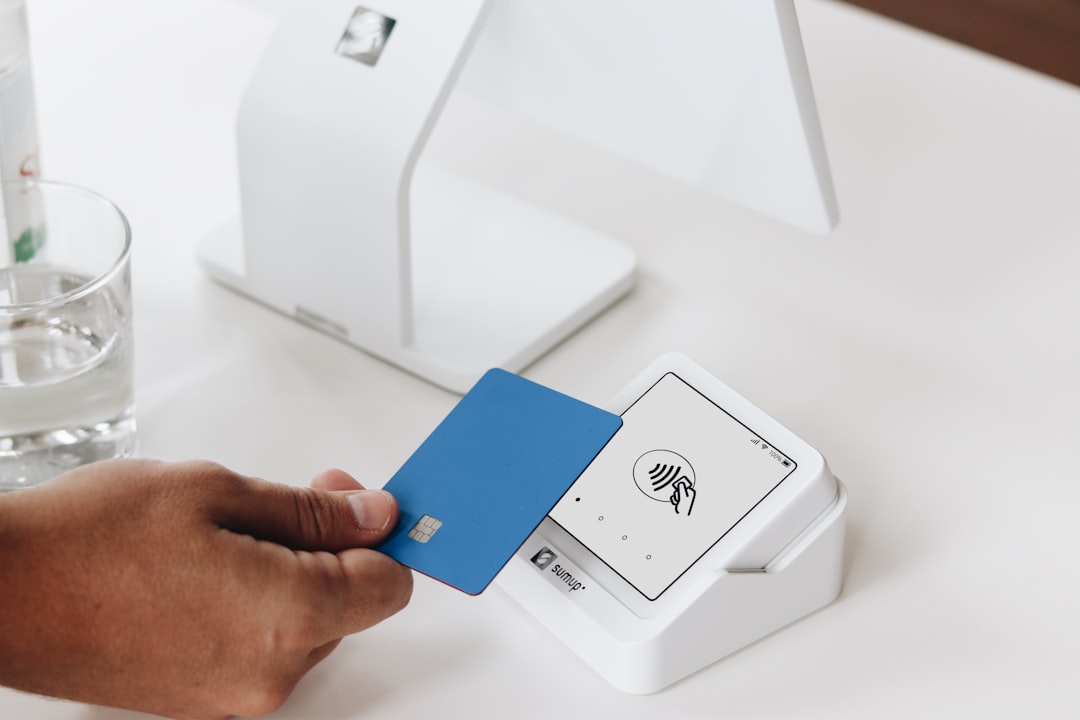
Yes, Target has tap to pay at its physical stores. Most Target checkout terminals support near field communication, commonly called NFC, which is the same technology used by contactless cards and mobile wallets. When you see the contactless symbol on the payment terminal, you can usually tap your card, phone, or wearable device to pay.
This applies to both traditional checkout lanes and many self-checkout stations. The process is the same whether you are buying paper towels, beauty products, clothing, electronics, or groceries. Once your items are scanned and the payment terminal is ready, you simply hold your payment device near the reader until the transaction is approved.
Which Mobile Wallets Does Target Accept?
Target supports the major mobile wallets shoppers commonly use in the United States. While availability can vary slightly by location or terminal status, the following options are generally accepted in Target stores:
- Apple Pay: Works with iPhone and Apple Watch using eligible debit, credit, or prepaid cards added to Apple Wallet.
- Google Pay: Works on compatible Android phones and Wear OS devices with supported cards.
- Samsung Pay: Works on supported Samsung devices, typically through NFC at modern payment terminals.
- Contactless credit and debit cards: Simply tap the physical card if it has the contactless symbol.
- Target Wallet in the Target app: Lets you pay using saved payment methods, Target Circle Card, coupons, Target Circle deals, and gift cards through a scannable barcode.
The key distinction is that Apple Pay, Google Pay, Samsung Pay, and tap cards use the payment terminal, while Target Wallet uses a barcode inside the Target app. Both are digital payment methods, but they work differently at checkout.
How to Use Tap to Pay at Target
Using tap to pay at Target is straightforward, even if you are at self-checkout. Here is the typical process:
- Scan your items or have the cashier scan them.
- Apply any discounts, Target Circle offers, coupons, or gift cards before final payment if needed.
- When the terminal asks for payment, look for the contactless symbol.
- Hold your phone, smartwatch, or contactless card close to the reader.
- Wait for confirmation, such as a beep, checkmark, or approval message.
- Take your receipt or choose a digital receipt if available.
If you are using a phone or watch, authenticate first. With Apple Pay, that may mean Face ID, Touch ID, or your passcode. With Google Pay or Samsung Pay, you may need to unlock the device or verify the transaction depending on your settings and the purchase amount.
Can You Use Apple Pay at Target?
Yes, Apple Pay works at Target stores. Many shoppers use it because it is fast, secure, and does not require pulling out a physical card. On iPhone, double-click the side button, authenticate, and hold the phone near the terminal. On Apple Watch, double-click the side button and hold the watch near the reader.
Apple Pay may also be available for some Target digital purchases depending on the device, browser, and checkout environment. However, for online orders, the exact payment options can differ from in-store checkout. If Apple Pay appears as an option in the Target app or on Target.com, you can select it; if it does not, choose another stored card, Target Circle Card, gift card, or supported online payment method.
Can You Use Google Pay or Samsung Pay at Target?
Yes, Google Pay and Samsung Pay are accepted at Target stores where contactless terminals are working. Android users can open or unlock their phone, select the preferred card if necessary, and hold the device near the terminal.
Samsung Pay used to be known for working with older magnetic stripe terminals through MST technology, but modern Target checkout relies on NFC contactless payments. In practice, if your Samsung device is set up with an eligible card and the Target terminal supports tap to pay, the payment should work like any other NFC wallet.
What About the Target App Wallet?
The Target Wallet in the Target app is especially useful for frequent Target shoppers. Instead of tapping your phone to the terminal, you display a barcode that the cashier scans or that you scan at self-checkout. This can combine several checkout tools in one place, including:
- Target Circle deals and personalized offers
- Target Circle Card payment
- Target gift cards
- Manufacturer or Target coupons available in the app
This is helpful because it reduces the need to scan offers separately and then pay with another method. For example, if you have a 15% Target Circle offer on laundry detergent and a $10 gift card saved in the app, Target Wallet can help apply those before the final charge.
Does Tap to Pay Work at Self-Checkout?
Yes, tap to pay usually works at Target self-checkout. After scanning your items, select payment and follow the prompts on the card reader. You can tap a card, use a mobile wallet, or scan the Target Wallet barcode depending on your preferred method.
If the terminal does not respond, try holding your device closer to the contactless symbol for a second or two. If that still fails, ask a team member for help or use the chip reader as a backup. Occasionally, a specific register may have contactless temporarily disabled, even if the store generally supports it.
Can You Use Tap to Pay for Target Drive Up or Order Pickup?
Tap to pay is an in-store terminal payment method, so it does not apply in the same way to Drive Up or Order Pickup. Those orders are placed and paid for digitally through the Target app or website before you arrive. You will choose from the payment methods shown at online checkout, such as a saved debit or credit card, Target Circle Card, gift card, or other supported digital options.
For Drive Up, a Target team member brings the order to your car, but they do not bring a card reader for tapping a phone or card. If you want to use a mobile wallet for a Target purchase, check whether that option appears when placing the order online, or shop in store and use tap to pay at the register.
Are Contactless Payments Safe at Target?
Contactless payments are generally considered secure. Mobile wallets like Apple Pay and Google Pay use tokenization, meaning the merchant does not receive your actual card number. Instead, the transaction uses a unique digital code. That can reduce the risk of card information being exposed compared with swiping a magnetic stripe.
There is also a convenience benefit: you do not have to hand your card to anyone, insert it into a reader, or touch as many shared surfaces. For many shoppers, that speed and lower-contact experience is the main reason to use tap to pay.
Quick Checkout Tips for Target Shoppers
- Add your card before you shop: Set up Apple Pay, Google Pay, or Samsung Pay before entering the checkout line.
- Check your default card: Make sure the correct card is selected, especially if you use multiple rewards cards.
- Use Target Circle first: Apply deals or scan Target Wallet before final payment so discounts are included.
- Keep a backup: Carry a physical card in case your phone battery dies or a terminal is not accepting contactless payments.
- Watch for confirmation: Do not move your device away too quickly; wait for the approval message.
Bottom Line
Target does have tap to pay, and it is one of the easiest ways to check out in store. You can use Apple Pay, Google Pay, Samsung Pay, contactless cards, or Target Wallet, depending on how you like to pay and whether you want to combine offers, gift cards, and Target Circle benefits. For the fastest experience, set up your mobile wallet ahead of time, scan any Target app discounts before paying, and keep a backup card just in case. Whether you are at self-checkout or a staffed lane, contactless payment can make a Target run feel noticeably smoother.